

 Max Pankratov
When you activate an eSIM by scanning a QR code, the eSIM QR code setup handles the SM-DP+ address automatically, the SM-DP+ address (also written sm-dp+address) is working in the background , you just never see it. When you activate manually without a QR code, the SM-DP+ address is one of the two pieces of information you type in yourself. Understanding what it is takes about two minutes. Using it correctly is the difference between a successful manual eSIM activation and an “invalid SM-DP+ address” error.
What is an SM-DP+ address?
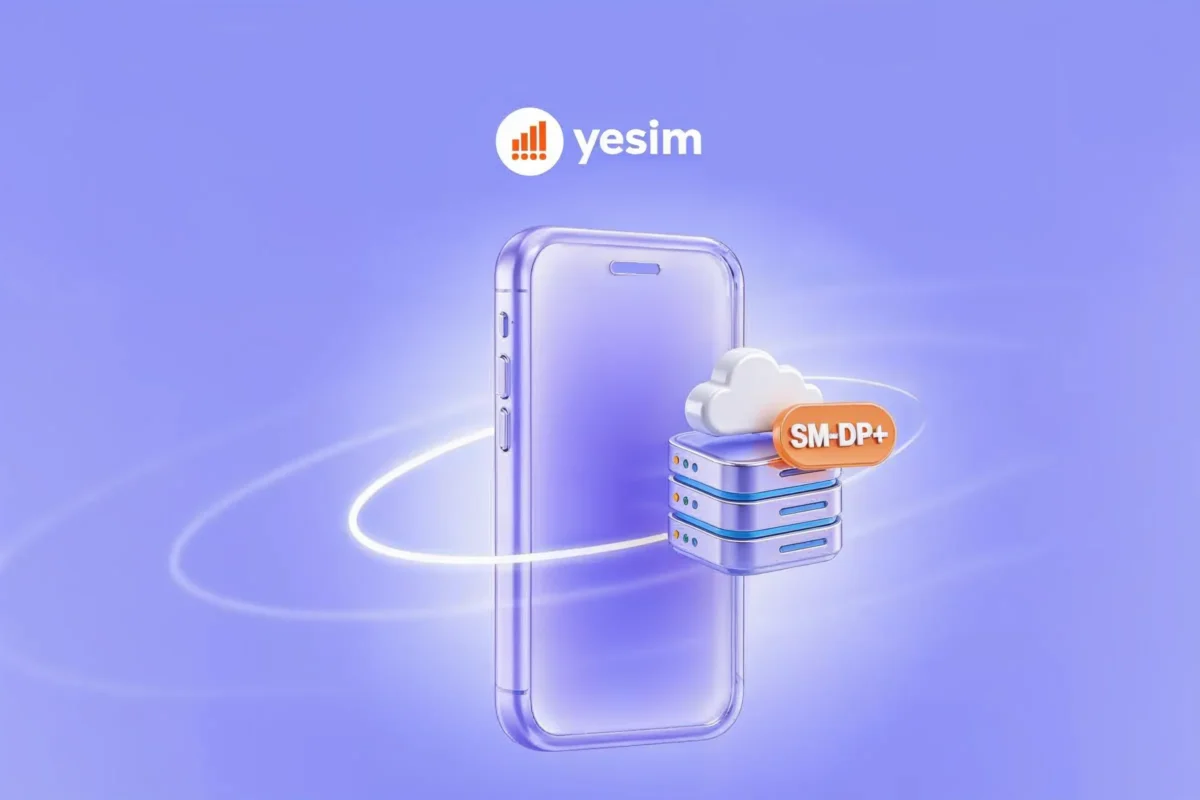
What is SM DP address? What is SM-DP+ address? SM-DP+ stands for Subscription Manager Data Preparation Plus. It is the domain address of the server that stores your eSIM profile and delivers it to your device during activation.
What’s a SM-DP+ address? Think of it like this: your eSIM profile , your phone number, carrier authentication data, plan details , is a file sitting on a server run by your carrier or eSIM provider. The SM-DP+ address is the URL of that SM-DP server. When your phone activates an eSIM, it contacts the SM-DP+ server, authenticates your device, and downloads the profile. This eSIM installation guide starts here: the download is encrypted and authenticated at both ends, the server confirms the device is eligible, the device confirms the server is legitimate.
The full term “SM-DP+” distinguishes this server from an older SM-DP address standard called SM-DP (without the plus), which was used in earlier machine-to-machine eSIM deployments before consumer eSIM became common. Consumer eSIM devices , iPhones, Android phones, tablets, all use SM-DP+.
What does SM-DP+ address mean in eSIM technology?
The SM-DP+ address is always formatted as a domain name, like a website address. Examples of real SM-DP+ addresses from major US carriers:
- SM-DP+ address Verizon:
gsmacct.vzw.otgeuicc.com - | SM-DP+ address T-Mobile |
smdp.t-mobile.comorcust-003.oberthur.rsp.gieseckedevrient.com - SM-DP+ address AT&T:
prod.attesim.rsp.gieseckedevrient.com
When you receive a QR code from your carrier or eSIM provider, the SM-DP+ address is encoded inside that QR code alongside your eSIM activation code (also called a matching ID or confirmation code). Scanning the QR code extracts both values and passes them to your phone’s eSIM chip automatically , which is why QR code activation requires no manual typing.
When you need to activate eSIM manually and no QR code is available (a QR code expired, the image was lost, or your provider sends activation codes without a QR), you enter the SM-DP+ address and activation code manually in your phone’s settings.
How does SM-DP+ address work?
The full eSIM configuration and eSIM activation process using the SM-DP+ server goes through these steps:
- Your phone contacts the SM-DP+ server at the address your carrier provides (via QR code or manual entry).
- Mutual authentication: The SM-DP+ server verifies your device’s IMEI and eSIM chip certificate. Your device verifies the server’s certificate. Both must pass before the download begins.
- Profile download: The server sends your encrypted eSIM profile to the device. The profile contains your phone number, carrier network credentials, and plan data.
- Profile installation: Your phone’s eSIM chip decrypts and installs the profile.
- Network registration: The device uses the newly installed profile to register with the carrier’s network.
This process is the same whether you scanned a QR code or typed the SM-DP+ address manually. The QR code simply automates steps 1 and 2 by pre-filling the server address and authentication code.
QR code vs manual activation:
| Method | SM-DP+ address | Activation code | When to use |
|---|---|---|---|
| QR code | Encoded in QR, automatic | Encoded in QR, automatic | Standard activation, preferred method |
| Manual entry | Type the address yourself | Type the code yourself | QR code expired, lost, or unavailable |
Where to find the SM-DP+ address on iPhone
How to find SM-DP+ address on iPhone: on iPhone, you enter the SM-DP+ address during manual eSIM setup. Apple calls this “Enter Details Manually” in the iPhone eSIM setup flow.
SM-DP+ address iPhone , manual eSIM activation steps:
- Go to Settings → Cellular → Add eSIM.
- Tap Enter Details Manually (instead of scanning a QR code).
- Enter the SM-DP+ Address in the first field.
- Enter the Activation Code (matching ID or confirmation code) in the second field.
- Tap Next, the phone contacts the SM-DP+ server and downloads the profile.
Your carrier or eSIM provider supplies both values. They appear in your welcome email, in the provider’s app, or on your account dashboard when you select “Manual Activation” or “No QR Code.”
Where the SM-DP+ address appears on your iPhone: The SM-DP+ address is not stored visibly anywhere in iPhone settings after installation. It is only needed during the initial activation. Once the eSIM profile is installed, your phone does not display the SM-DP+ address , you only see the carrier name and line label you assigned.
For iPhone model-specific eSIM setup steps across all compatible models from XS onward, see which iPhones support eSIM.
How to find the SM-DP+ address on Android
On Android, the manual eSIM activation path varies slightly by manufacturer but follows the same structure.
Samsung Galaxy:
- Go to Settings → Connections → SIM Manager → Add mobile plan.
- Select Enter activation code or Add with code.
- Enter the SM-DP+ address and activation code in the fields provided.
Google Pixel:
- Go to Settings → Network & Internet → SIMs → Add eSIM.
- Select Enter eSIM details manually.
- Enter the SM-DP+ address and activation code.
Other Android devices: The path is usually Settings → Network → SIM cards or Mobile Network → Add eSIM. Look for any option labelled “manual,” “enter code,” or “activation code” , the SM-DP+ address field appears alongside the activation code field.
Your eSIM provider supplies both values. If your provider only offers a QR code and you need manual activation (for example, your camera cannot scan QR codes), contact support and ask for the SM-DP+ address and activation code as plain text.
SM-DP+ addresses for major US carriers
These are the SM-DP+ server addresses for the main US carriers. They are public information used by devices during eSIM activation.
| Carrier | SM-DP+ address |
|---|---|
| Verizon | gsmacct.vzw.otgeuicc.com |
| T-Mobile | smdp.t-mobile.com |
| AT&T | prod.attesim.rsp.gieseckedevrient.com |
| Cricket Wireless (AT&T) | cricket-prod.prod.eimservice.com |
| US Mobile | cust-003.oberthur.rsp.gieseckedevrient.com |
Important: Knowing the SM-DP+ address is only half of what you need. The other half is the activation code (matching ID), which is unique to your specific account and plan. The SM-DP+ address alone does not activate an eSIM , the server uses the activation code to verify your identity and retrieve your profile.
For a full review of how Verizon’s eSIM system works including the activation process, see the Verizon eSIM review. For T-Mobile’s eSIM activation flow, see the T-Mobile eSIM review.

Is SM-DP+ address on the SIM card?
What is the SM-DP+ address on the SIM card? No. The SM-DP+ address is not stored on a physical SIM card and is not a concept that applies to nano SIM cards.
Physical SIM cards contain carrier authentication credentials (IMSI, Ki authentication key) pre-programmed at the factory. There is no server address involved , the SIM card itself holds the carrier identity data.
The SM-DP+ address only exists in the context of eSIM provisioning. It is the address of the remote server that delivers the eSIM profile to an embedded chip, replacing the factory pre-programming that physical SIM cards use. There is no SM-DP+ address “on” anything , it is a network server location, not a field stored in device settings or on a card.
Why mobile carriers use SM-DP+ addresses
- Remote provisioning. The SM-DP+ architecture allows carriers to deliver SIM profiles over the internet without any physical interaction. A carrier can provision a new customer’s eSIM in seconds, regardless of geography. The customer never visits a store or handles a SIM card.
- Security. The mutual authentication in the SM-DP+ protocol means neither side of the connection can be spoofed. A fake SM-DP+ server cannot deliver a fraudulent profile to a legitimate device because the device checks the server’s certificate. A stolen activation code cannot be used on a different device because the server checks the device’s IMEI and eSIM chip certificate.
- Scalability. SM-DP+ is specified by the GSMA (the global mobile standards body) as the international standard for consumer eSIM. Every eSIM-capable phone manufactured since 2018 supports the SM-DP+ protocol, which means every carrier using a compliant SM-DP+ server in any mobile carrier eSIM setup can provision eSIM profiles to any compatible device worldwide.
Common SM-DP+ address errors and fixes
- “Invalid SM-DP+ address” error. The address was typed incorrectly. SM-DP+ addresses are case-insensitive but must be syntactically correct domain names. Check for typos, extra spaces, or missing characters. Copy the address directly from your provider’s email or dashboard rather than retyping it.
- “Activation code not recognised” or “confirmation code invalid.” The activation code has expired or been used. Most activation codes are single-use and expire within 24 to 72 hours. Contact your eSIM provider’s support for a new code. The SM-DP+ address itself does not expire , only the activation code does.
- “SM-DP+ server could not be reached.” Your phone cannot connect to the SM-DP+ server. Ensure you are on Wi-Fi (not mobile data from another SIM) and that your internet connection is working. Some corporate or school Wi-Fi networks block outbound connections to eSIM provisioning servers , try a different network.
- “Device not eligible” or “SIM not supported.” Your phone’s IMEI is either not registered with the carrier or the device is carrier-locked. For travel eSIM providers like Yesim, confirm your device is unlocked and eSIM-compatible using the full compatible devices list before attempting activation.
- Profile downloads but shows no signal. The SM-DP+ activation completed, but Data Roaming is not enabled on the new eSIM line. Go to Settings → Cellular → [new eSIM line] → Data Roaming → On. Also toggle airplane mode off and on to force a network registration.
The bottom line
The SM-DP+ address is the server address your phone contacts when downloading an eSIM profile. You rarely need to think about it , QR codes handle it automatically for most activations. The situations where it matters are manual activations (no QR code available), troubleshooting failed activations, and understanding why an “invalid SM-DP+ address” error appeared.
For travel eSIM providers like Yesim, the SM-DP+ address and activation code are both included in the setup email and the Yesim app. QR code scanning is the standard activation method; manual entry is available as a fallback.










 Vika Laki