 Max Pankratov
No, airplane mode does not fully turn off location. Does airplane mode turn off your location? Only transmission, not recording. GPS continues to work in airplane mode on most phones because GPS is a receiver, not a transmitter. Your phone picks up signals from satellites without sending anything out, so the aviation restrictions that disable cellular, Wi-Fi, and Bluetooth do not apply to it.
Does airplane mode disable location sharing? Yes. Does airplane mode disable location recording? No. What stops in airplane mode: your phone cannot send your coordinates to any app or service. That means location sharing stops, Find My shows you as offline, and Life360 freezes on your last known position. But your GPS chip keeps recording where you are.
Does turning on airplane mode turn off location? Only the sharing part. This distinction matters whether you are trying to use offline maps on a flight, wondering if airplane mode hides your location from someone tracking you, or just trying to understand what your phone is actually doing when you tap that icon.
What airplane mode actually disables
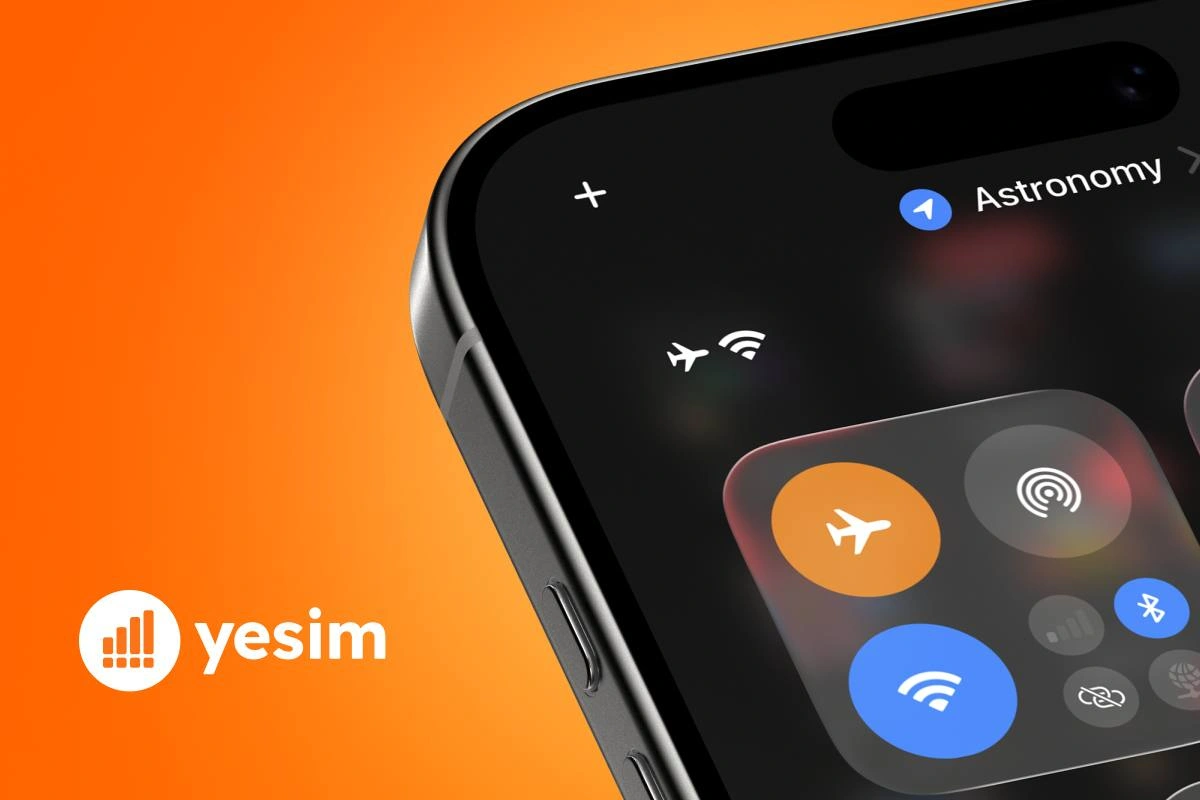
Does airplane mode turn off location on iPhone? Same answer as Android: GPS stays on, sharing stops. Airplane mode cuts three types of wireless transmission, disabling Wi-Fi and Bluetooth along with cellular:
- Cellular connection, no calls, SMS, or mobile data
- Wi-Fi, disabled by default, though you can manually re-enable it on most phones after activating airplane mode
- Bluetooth, disabled by default, also re-enableable manually
All three are radio transmitters: they send and receive signals that could theoretically interfere with aircraft electronics. That is the rationale for disabling them in flight.
The GPS chip is not a transmitter. It only receives signals from satellites orbiting at roughly 20,000 km altitude. It does not send anything. Airlines and regulators have no reason to restrict it, so phone manufacturers do not disable it in airplane mode.
Why GPS keeps working in airplane mode
GPS works by receiving timed signals from multiple satellites simultaneously. Your phone’s GPS chip calculates your position by measuring the tiny differences in arrival time between signals from different satellites, a process called trilateration. None of this requires your phone to transmit a single bit.
This is why you can use offline maps on a long flight. Apps like Google Maps (with downloaded offline areas), Apple Maps (limited offline functionality), and Maps.me work purely from the GPS chip and pre-downloaded map data. Your position updates on the screen even at 35,000 feet with full airplane mode active.
Yesim tip: Download your destination’s offline maps before boarding. GPS in airplane mode gives you your position, but without a data connection the map tiles themselves will not load unless they are already saved on your device.
Assisted GPS (A-GPS) and what changes without a network
Standard GPS alone can take 30–90 seconds to get a first fix, especially if the phone has been off for a while or you are in a new region. Modern phones use Assisted GPS (A-GPS) to speed this up: the phone uses data from cell towers or Wi-Fi to download a file from a server that tells it approximately where the GPS satellites are right now, cutting the fix time to a few seconds.
In airplane mode, A-GPS cannot download that assistance file. The result: your first GPS fix after activating airplane mode may take longer than usual. Once the fix is acquired, the GPS works normally. If your phone already had a recent GPS fix (from the last few minutes), you may not notice any delay at all.
Does airplane mode stop location sharing in specific apps?
The answer depends entirely on whether the app needs internet to transmit your coordinates. Does airplane mode turn off my location from appearing on others’ apps? Yes, in real time. GPS records your location locally. Sharing it requires a data connection.
Find My iPhone and Find My Device in airplane mode
Without cellular or Wi-Fi, your device cannot reach Apple’s servers. In the Find My app, other people’s view of your device will show its last known location before airplane mode was activated, with a timestamp indicating when that was. The device appears as offline.
One exception: Apple’s Find My network uses Bluetooth signals from nearby iPhones to relay the location of lost devices. In airplane mode, Bluetooth is disabled by default, so this passive reporting also stops, unless you manually re-enable Bluetooth after activating airplane mode.
On Android, Google’s Find My Device works the same way: last known location, shown as offline, until connectivity is restored.
Does airplane mode turn off Find My location entirely? Yes, in the sense that real-time updates stop. The last recorded position remains visible to others until your device reconnects and sends a new update.
Life360 and family locator apps in airplane mode
Does airplane mode turn off location on Life360? Practically, yes, your circle members see Can you see location on airplane mode? Other users see your last known position before airplane mode was activated. Your profile freezes at the last transmitted location, often with a status indicator showing the device is offline or that location is unavailable.
Life360 requires an internet connection to transmit GPS coordinates to its servers and then to other users’ devices. In airplane mode, the GPS chip may still be recording your location locally, but that data does not leave your phone. The moment you disable airplane mode and data restores, Life360 syncs the current position, not a history of where you were during the offline period, in most cases.
Does airplane mode stop sharing location on Life360 permanently? No. It pauses it. Sharing resumes automatically when connectivity returns.
Snapchat, Google Maps Timeline, and social location sharing
The pattern is consistent across apps:
- Snapchat Snap Map: Your Bitmoji on the map freezes at the last transmitted position. Snapchat shows you as having been active at a certain time. Your location does not update until you open the app with data restored.
- Google Maps Timeline: Google Maps continues recording your GPS position locally in the background (if location history is enabled) even in airplane mode. When data restores, the timeline may upload the recorded path from your offline period to Google’s servers. This is a key privacy point: airplane mode does not stop Google from logging your movements locally.
- Apple Maps and significant locations: iOS records significant locations locally regardless of network state. These sync to iCloud when connectivity returns.
Airplane mode vs real privacy: comparison table
The table shows why airplane mode does not hide your location from all tracking. It stops apps from receiving your coordinates in real time, but your phone keeps recording them locally, and some apps upload that history once connectivity returns.
| Method | Blocks GPS recording | Stops app location sharing | Stops background location logging | Saves battery/data | Full privacy protection |
|---|---|---|---|---|---|
| Airplane mode alone | No | Yes (no data) | No (local logging continues) | Yes | No |
| Disable Location Services (Settings) | Yes | Yes | Yes | Partial | Yes |
| Power off the phone | Yes | Yes | Yes | Yes | Yes |
| Airplane mode + disable Location Services | Yes | Yes | Yes | Yes | Yes (practical maximum) |
Why airplane mode is not a real privacy tool
Does airplane mode hide location from Life360, Find My, or tracking apps? It hides your real-time position but leaves a visible gap. If you are trying to disappear from these apps, airplane mode is an incomplete solution.
If you turn on airplane mode, does location work for navigation? Yes. Does location work in airplane mode for real-time sharing? No. Does location work in airplane mode for navigation? Yes, with offline maps. Your GPS chip operates independently of the network. It keeps calculating your position and storing it in the phone’s memory. Apps with background location permissions, Google Maps Timeline, Apple’s significant locations feature, certain fitness trackers, continue to log your movements locally. When airplane mode turns off and data restores, some of these apps upload the accumulated location data.
Does airplane mode hide your location from someone monitoring you? Will airplane mode hide my location completely? It hides your real-time position, but it leaves evidence: a gap in location history followed by a sudden update when connectivity returns. Most family tracking apps note the offline period with a timestamp, so the person monitoring you can see exactly when you went dark and when you came back.
Does airplane mode pause location for someone who might notice the gap? Yes, and that gap is itself visible.

How to fully disable location tracking: step by step
Does airplane mode turn off location tracking entirely? No. If genuine location privacy is the goal, disable Location Services directly:
On iPhone:
- Open Settings
- Tap Privacy & Security
- Tap Location Services
- Toggle Location Services to Off, this disables the GPS chip and all app location access
To disable for individual apps only: stay in Location Services and set each app to Never or While Using.
On Android:
- Open Settings
- Tap Location
- Toggle Use location to Off
To control per-app permissions: go to Settings → Apps → [App name] → Permissions → Location → Don’t allow.
Disabling Location Services stops the GPS chip entirely. Unlike airplane mode, this actually turns off location services at the system level. No app can access your location, no local logging occurs, and no history accumulates for later upload.
Practical case: using airplane mode while travelling
For travellers, the correct reason to use airplane mode is not privacy, it is compliance with airline rules and avoiding roaming charges. When your phone leaves your home country and connects to a foreign carrier’s network, data use can be expensive. Activating airplane mode prevents any background data use from connecting to roaming networks.
The useful combination for international travel:
- Activate airplane mode before landing in a foreign country
- Manually re-enable Wi-Fi within airplane mode to connect to airport or hotel Wi-Fi for free
- Use your pre-downloaded offline maps for navigation (GPS works, remember)
- Deactivate airplane mode when you have your data plan sorted
If you travel with a Yesim eSIM already installed and activated, step 4 is immediate: you turn off airplane mode, the eSIM connects to the local network, and you have data at local rates rather than your home carrier’s roaming prices. For plans by destination, see yesim.app/country/.
Also read: What is an eSIM and how does mobile data work in roaming, covers why your GPS and your data connection are completely separate systems, and how eSIM makes the data side instant.
How to restore location and internet after landing
- Find the Airplane Mode settings toggle in Control Centre (iPhone) or Quick Settings (Android) to disable it.
- Wait 10–15 seconds for your phone to register on the cellular network or your eSIM carrier.
- If you have Wi-Fi at your destination, connect manually.
- Location-sharing apps (Find My, Life360) will sync automatically within a minute of connectivity being restored.
- Your current GPS position, not the one from before the flight, will be transmitted.
The whole process takes under a minute. If you have a Yesim eSIM already set up, there is nothing extra to do, the connection establishes automatically on the local carrier network when airplane mode is disabled.
Conclusion: what airplane mode actually does to your location
What does airplane mode do to your location: it keeps GPS recording locally but cuts all transmission. GPS works in airplane mode. Location sharing does not.
Airplane mode cuts the cellular data connection your phone needs to transmit coordinates to apps and services. It does not cut the GPS chip that records those coordinates locally. For travellers, this is useful: you get offline navigation with no data costs. For privacy seekers, it is a partial solution at best, the location gap is visible to anyone monitoring you, and some apps log locally and upload later.
For genuine location privacy, disable Location Services in Settings. For safe, cost-controlled travel, use airplane mode combined with a pre-installed eSIM that activates the moment you land.











 Vika Laki