 Max Pankratov
A nano SIM is the small physical card that slides into a tray on the side of your phone. An eSIM is a chip soldered to the motherboard of your phone that does the same job without any physical component at all. Both connect you to a carrier network. Both handle calls, texts, and mobile data. The difference is in how you install them, how you switch between carriers, and how they perform in specific situations like international travel.
Most modern dual SIM phones support both formats simultaneously , you can run a nano SIM and an eSIM on the same device at the same time, using them for different purposes. Understanding the difference helps you decide which to use for which situation.
What is a nano SIM card?
What’s a nano SIM card? A nano SIM card (whats a nano sim card is a common search) is the smallest form of physical SIM card in common use today. Nano SIM means a nano-sized SIM: it measures 12.3 mm × 8.8 mm × 0.67 mm. To put that in perspective, it is roughly the size of a fingernail.
Nano SIM cards contain a small gold chip that stores your subscriber information: your phone number, carrier authentication data, and sometimes contacts or SMS messages. When you insert the card into your phone’s SIM tray and power on, your phone reads the chip and registers with your carrier’s network.
The format became the global standard around 2012, when Apple introduced it with the iPhone 5. SIM card vs nano SIM card: the original full-size SIM was 85 mm × 54 mm. Before nano SIM, micro SIM (15 mm × 12 mm) was standard. Before micro SIM, the original full-size SIM was common. Each generation shrank the physical footprint while keeping the same gold chip functionality.
What is a nano SIM card used for:
- Making and receiving phone calls on your regular number.
- Sending and receiving SMS texts.
- Mobile data (4G LTE, 5G) for internet access.
- Carrier authentication, proving to the network that you are a paying subscriber.
- In some cases, storing a limited number of contacts and SMS messages on the card itself.
Virtually every smartphone sold since 2015 uses nano SIM. If you pull out the SIM tray on your current phone, the card inside is almost certainly a nano SIM.
What is an eSIM and how does it work?
An eSIM uses embedded SIM technology: it is a SIM card built into your phone’s circuit board. There is no physical card to insert or remove. Instead, the chip is permanently installed at the factory, and carrier profiles are downloaded to it over the internet.
When you buy an eSIM plan, the eSIM activation process starts: you receive a QR code. Scanning the code installs a carrier profile on the embedded chip , your phone number, carrier data, and authentication credentials are downloaded directly to the device. The process takes under two minutes and requires no physical handling.
The eSIM chip itself is permanent and stays in the phone for its lifetime. What changes between carriers is the software profile loaded onto it. You can delete one carrier profile and install another, or run multiple profiles simultaneously on devices that support it.
For a full technical explanation of how eSIM works across different devices, see what is eSIM.
eSIM vs nano SIM: the main differences
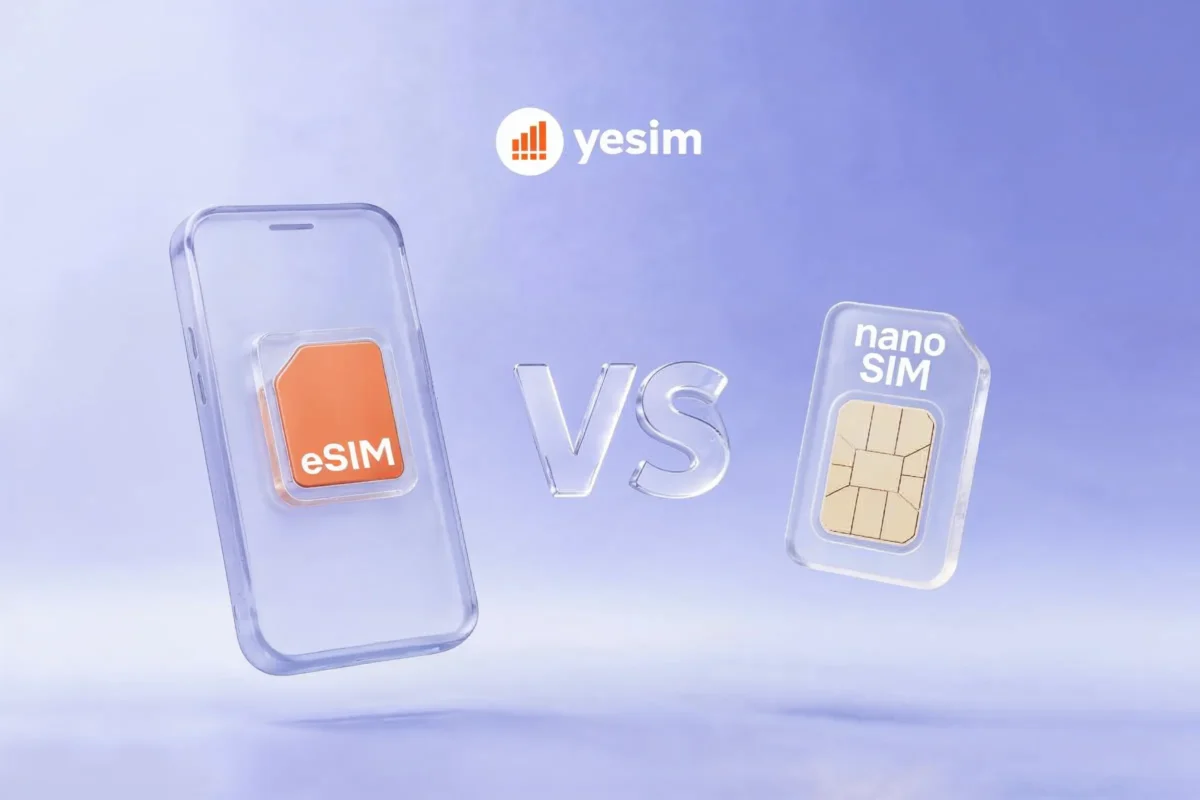
Physical SIM vs eSIM: the practical differences between eSIM and nano SIM come down to five areas:
- Physical presence. Nano SIM is a card you can hold, insert, remove, and lose. eSIM is a chip inside the phone, there is nothing to handle.
- Carrier switching. Changing to a different carrier on nano SIM requires a new physical card from that carrier. Changing carriers on eSIM takes under two minutes: delete the old profile, scan a new QR code. For travellers who change carriers at every border crossing, this difference is significant.
- Simultaneous use. On a dual-SIM phone, nano SIM and eSIM run simultaneously. Your home nano SIM handles your regular number; an eSIM handles data from a different carrier. Neither interrupts the other.
- Risk of physical damage. Nano SIM cards break, bend, corrode, and get lost. An eSIM has none of these failure modes. The chip is sealed inside the phone body.
- Setup timing. A nano SIM can be purchased at a carrier store after you arrive at your destination. An eSIM can be bought online and installed before you leave home , so you land connected.
| Feature | Nano SIM | eSIM |
|---|---|---|
| Physical component | Yes, insertable card | No, embedded chip |
| Setup time | SIM swap required | QR code scan, under 2 min |
| Carrier switching | New card from carrier | New profile via QR code |
| Risk of loss or damage | Yes | No |
| Works before landing | No | Yes |
| Dual SIM compatible | Yes (with eSIM) | Yes (with nano SIM) |
| Repair/replace if broken | Visit carrier store | Contact provider for new code |
Nano SIM vs eSIM: pros and cons
Nano SIM cards are universally compatible. Every carrier in every country sells them. In parts of the world where eSIM provider networks are thin or unreliable, a local nano SIM from the airport or a corner shop is still a reliable fallback. For long-term stays in a single country, a local nano SIM with a monthly plan is often cheaper per GB than any international eSIM.
Nano SIM cards are also independent of your phone’s software. A carrier firmware update, a factory reset, or a phone replacement does not affect your nano SIM. Swap it to a new phone and it works immediately.
Nano SIM limitations: You need to physically handle the card. Travelling through multiple countries means carrying multiple SIMs, swapping them at borders, and risking losing the tiny card in a hotel room. Each country switch requires finding a local carrier store or airport kiosk, which takes time and requires a language you may not speak.
eSIM advantages: Speed and convenience are the primary eSIM strengths. Buy online before departure, install at home, arrive connected. No store visit, no passport registration, no card to carry.
For international travel specifically, the eSIM wins on almost every practical measure. A single eSIM plan can cover 30 or 200 countries depending on the provider. Switching between plans takes minutes, not hours. Your home nano SIM stays active throughout, keeping your regular number live.
eSIM limitations: eSIM support depends on both the device and the carrier. Older phones (pre-2018 on iPhone, pre-2020 on many Android models) do not support eSIM. Some budget Android phones still lack eSIM hardware even in 2026. Some smaller or regional carriers do not yet support eSIM activations.
If you need to transfer your number to a new phone, eSIM profiles require deactivation and reactivation , a process that needs the carrier’s cooperation. Nano SIM transfers are as simple as moving the card.

Micro SIM vs nano SIM: what changed?
Before nano SIM, micro SIM was the standard format from roughly 2010 to 2014. Micro SIM measures 15 mm × 12 mm, about 38% larger than nano SIM. Both contain the same gold contact chip , the difference is purely in how much plastic surrounds the chip.
Apple drove the transition from micro SIM to nano SIM with the iPhone 5 in 2012, reducing phone size requirements. Android manufacturers followed by 2013 to 2014.
Micro SIM cards can be cut down to nano SIM size if needed, microsim to nano sim cutters are sold cheaply online. The chip itself is identical. Cutting is irreversible, however, and an incorrectly cut card can damage the SIM tray.
If you find a micro SIM in an old phone or drawer, it works fine in a nano SIM slot with a simple plastic adapter (nano SIM adapter), available at any electronics store. There is no functional difference between micro SIM and nano SIM connectivity, only the physical size differs.
Which phones support eSIM and nano SIM?
Most smartphones sold from 2018 onward support eSIM. Most also retain a nano SIM slot, making them dual-SIM capable.
iPhone eSIM and nano SIM support:
- iPhone eSIM support starts from iPhone XS, XR (2018) and all later models.
- iPhone 13 and earlier: dual SIM (one nano SIM slot + one eSIM).
- iPhone 14 and later (US models): eSIM only, no nano SIM slot.
- iPhone 14 and later (international models): one nano SIM + one eSIM.
Samsung Galaxy:
- Galaxy S20 (2020) and later: eSIM supported.
- Most Galaxy S and Z series: dual SIM (nano SIM + eSIM).
- A-series budget phones: eSIM support varies by model.
Google Pixel:
- Pixel 3a (2019) and later: eSIM supported.
- All recent Pixel models: dual SIM (nano SIM + eSIM).
Other Android:
- Most flagship Android devices from 2020 onward support eSIM.
- Budget Android phones and some regional models may not support eSIM regardless of release year.
For a full list of eSIM compatible phones across all major brands, see the complete compatible devices list. For iPhone-specific setup instructions by model, see which iPhones support eSIM.
eSIM vs nano SIM for travel
Travel is where the eSIM versus nano SIM comparison has the clearest winner: eSIM, by a significant margin.
- The nano SIM travel workflow goes like this: land at your destination, find the carrier store or kiosk (often a queue at the airport), show your passport (some countries require ID for SIM registration), buy a local prepaid nano SIM, remove your home SIM, insert the local SIM, configure APN settings if the phone does not do it automatically. Your home number is now unreachable until you swap back. If your trip covers three countries, repeat this at each border.
- The eSIM travel workflow goes like this: buy a travel eSIM online before you leave. Land at your destination with data already active. Keep your home nano SIM in the phone the whole time , your regular number stays live. When you cross a border, your eSIM switches to the local network automatically if you have a multi-country plan. When you get home, delete the eSIM profile or just leave it inactive.
- The nano SIM still has a travel use case: local prepaid SIM cards from carriers in your destination are often significantly cheaper per GB than international travel eSIMs for long stays. A month in Thailand with a DTAC or AIS nano SIM card will cost less than most international eSIM plans for the same period. For short trips, quick city visits, or multi-country itineraries, the eSIM wins on convenience and is competitive on cost.
For a detailed comparison of eSIM options for international travel, see the best eSIM for international travel guide.
Read also: How to turn on or turn off data roaming, covers how to switch between nano SIM and eSIM data lines on both iPhone and Android.
Can you use a nano SIM and eSIM at the same time?
Yes, on any dual-SIM capable phone. The nano SIM slot and the eSIM chip operate independently. Both can be active simultaneously, registered on different carrier networks.
The most common dual-SIM configuration for travellers: home carrier nano SIM for calls and texts on your regular number, travel eSIM for mobile data abroad. Your home SIM stays in the phone throughout the trip. Your home number receives calls and messages. The eSIM handles all internet connectivity in your destination country or countries.
You can also run two data lines simultaneously if needed , for example, a personal nano SIM for work calls and a Yesim eSIM for cheaper data. The phone lets you set which line handles data, which handles calls, and which handles SMS independently.
- Setting up dual SIM on iPhone: Go to Settings → Cellular. Both lines appear listed. Set your primary line (usually the nano SIM home carrier) for calls and texts. Set the eSIM as the Cellular Data line. Enable Data Roaming on the eSIM line.
- Setting up dual SIM on Android: Go to Settings → Network & Internet → SIM Manager. Assign each SIM to calls, texts, and data independently.
Common problems with nano SIM and eSIM
- Nano SIM not recognized after reinserting. The gold contacts may be dirty or the card slightly misaligned in the tray. Power off, remove the tray, clean the contacts with a dry cloth, and reinsert carefully. If the problem persists, the SIM may be physically damaged and needs replacement from your carrier.
- Nano SIM tray ejection tool lost. A straightened paperclip fits the ejection hole on most phones. Push gently until the tray pops out.
- eSIM shows as active but no data connection. The most common cause is data roaming not being enabled on the eSIM line. Go to Settings → Cellular → [eSIM line] → Data Roaming → On. Also toggle airplane mode off and on to force a network re-scan.
- eSIM QR code expired before scanning. QR codes from most eSIM providers expire within 24 to 72 hours. If yours has expired, contact your provider’s support for a replacement. Most providers issue replacements within minutes via live chat.
- Transferring to a new phone. Nano SIM: remove from old phone, insert into new phone. Takes 30 seconds. eSIM: contact your carrier or eSIM provider to deactivate the profile on the old device and issue a new QR code for the new device. Some providers allow this through the app directly; others require a support chat.
- Carrier-locked phones. A phone locked to a specific carrier will not accept a nano SIM from a different carrier, and will not activate an eSIM profile from a different carrier. Unlocking typically requires contacting the original carrier.
The bottom line
Nano SIM and eSIM do the same job by different means. The nano SIM is the traditional SIM card format and physical card that has been standard since 2012. The eSIM is the digital version that has replaced it in most flagships from 2018 onward.
For everyday single-carrier use, nano SIM is simple and works everywhere. For travel, multiple carriers, or frequent plan switching, eSIM is faster, more flexible, and keeps your regular number active throughout. Most modern phones support both formats simultaneously, which means the choice does not have to be either/or.
If you are travelling and want to try eSIM for the first time, Yesim covers 200+ description with plans that install in under two minutes.