
 Yesim Team
Your phone doesn’t come from Japan, so it can’t join a Japanese network the normal way. What makes it work anyway is roaming: an agreement between your US carrier and a Japanese one, usually NTT Docomo, SoftBank, or au by KDDI. Most people never think about this until their phone shows an unfamiliar carrier name and they start wondering what it’s about to cost.
This guide covers what AT&T, Verizon, and T-Mobile charge for roaming Japan trips, how to turn it off properly, and how pocket WiFi, a local SIM, and an eSIM stack up against carrier roaming for a real trip, including whether you can simply use their regular plan without any changes. Japan is one of the few places where a rented pocket WiFi router genuinely competes with roaming, so it gets proper coverage here.
Will my phone work in Japan?

Yes, for almost everyone. Most modern unlocked phones work in Japan through your home carrier’s international roaming plan agreements with NTT Docomo, au by KDDI, or SoftBank. Cross the border, and your phone connects to one of these roaming partner networks automatically instead of your domestic network, that connection is what roaming means, not just using data the way you do at home. International visitors sometimes assume roam in Japan works identically to using their regular plan at home, and the mechanics really are similar once it’s set up correctly. One condition matters here: your phone needs to be unlocked.
How do you check if your phone is unlocked?
iPhone:
- Go to Settings, then General, then About.
- Look for Carrier Lock.
- “No SIM restrictions” means your phone is unlocked.
Android:
- Go to Settings, then Connections, then Mobile Networks.
- Open Network Operators.
- If multiple networks show up as available, your phone is unlocked.

Roaming in Japan: what US carriers charge
US carriers handle this three ways: roaming included in eligible plans, paid travel passes by the day or month, or pay-per-use rates if you’ve set up nothing in advance. Even “unlimited” roaming almost always means a limited high-speed data allowance, then a sharp drop to a much slower speed, commonly around 256 Kbps, for the rest of your session.
AT&T roaming in Japan

Does AT&T work in Japan without any setup at all? Yes, through the International Day Pass, which lets you use your regular US plan in Japan for $12 per line per 24-hour period, and that clock only starts on a day you use data, make a call, or send a text. AT&T’s International Day Pass structure applies the same way across most destinations, additional lines cost $6 per day each, cruise days run $20. AT&T doesn’t guarantee a fixed high-speed data allowance under the Day Pass, actual performance depends on local network conditions and your specific domestic plan.
Without a pass, pay-per-use rates apply: $2.05 per MB of data, $4 per minute of calls, $1 per text sent, $2 per photo or video message.
Verizon roaming in Japan

Does Verizon work in Japan the same way it does at home? Close, through TravelPass, which costs $12 per line per 24-hour period and includes 5GB of high-speed data. After that, your connection automatically shifts to unlimited data at a reduced 3G-equivalent speed for the rest of that session, so you’re never fully cut off, just slower.
Two other options exist too: a $100 per month International Monthly Plan (20GB high-speed data, then reduced speed, 250 minutes of calls, unlimited SMS), and a $10 per month stacking perk that banks 3 days of TravelPass credit at a time, up to 36 days total, useful if you travel to Japan more than once a year.
T-Mobile roaming in Japan

Does T-Mobile work in Japan without extra cost? It depends entirely on which plan you’re on, and the tier structure changed enough in 2026 that older comparison articles are already out of date. Current figures, straight from T-Mobile’s own international roaming page:
- Better Value: 30GB of high-speed data, then 256 Kbps. Unlimited SMS. Calls at $0.50/minute.
- Experience Beyond and Go5G Next: 15GB of high-speed data, then 256 Kbps. Unlimited SMS. Calls at $0.50/minute.
- Experience More, Go5G Plus, MAX, and One Plus: 5GB of high-speed data, then 256 Kbps. Unlimited SMS. Calls at $0.50/minute.
- Go5G, Magenta, and One: unlimited data, but capped at 256 Kbps from the start. Unlimited SMS. Calls at $0.50/minute.
- Plans without included roaming: $1.00 per MB of data. Unlimited SMS. Calls at $0.50/minute.
If your included high-speed data allowance runs short, T-Mobile also sells an International Pass, a data pass structured for short trips: $10 for 2GB over 1 day, $50 for 15GB over 10 days, $75 for 30GB over 30 days. For more detail on how this compares across other destinations, the T-Mobile roaming hub breaks it down further.
Yesim tip: whatever your carrier, screenshot your plan’s actual roaming terms before you fly. Support pages get updated mid-year, and having the terms that applied when you checked saves an argument later if your bill doesn’t match what you expected.
Roaming in Japan: US carrier comparison
The table below lines up all three carriers’ roaming passes and roaming add-ons side by side, so you can compare international plans without digging through each provider’s own site.
| Carrier | Included in eligible plans | Day pass / add-on price | Pay-per-use rate |
|---|---|---|---|
| AT&T | No plan includes it by default | $12/day (primary line), $6/day (additional lines) | $2.05/MB, $4/min, $1/text sent, $2/photo-video message |
| Verizon | Yes, via TravelPass on qualifying plans | $12/day (5GB high-speed, then reduced speed) | $2.05/MB (typical rate outside a pass) |
| T-Mobile | Yes, on Better Value, Experience Beyond, Go5G Next, Experience More, Go5G Plus, MAX, One Plus, Go5G, Magenta, One | International Pass: $10 (1-day/2GB) to $75 (30-day/30GB) | $1.00/MB, $0.50/min calls, unlimited SMS |
Read also: Cherry Blossoms in Japan
Roaming in Japan: costs for travelers from other countries
This guide is written for US travelers, but plenty of people from other countries land on this page too. If that’s you, the short version for your home carrier is below, before you head back to the US-specific sections above.
UK carriers:
| Carrier | Monthly roaming plan | Travel pass | Pay-as-you-go |
|---|---|---|---|
| EE | No inclusive monthly plan for Japan | £7.50/day: unlimited calls and texts, 500MB data | £1.80/min, 60p/text |
| O2 | Ultimate, Volt, Plus | Travel Inclusive Zone Bolt Ons | £3/min, £1/text, 1-5GB bundles for £9-29 |
| Three | Three Your Way Value and Complete | Go Roam Pass: £7 for calls, texts, up to 12GB | £3/MB, £2/min, 35p/text |
| Vodafone UK | No inclusive monthly plan for Japan | £7.86/day on top of your plan, up to 25GB | 60p/min, 8p/text, 12p/MB |
Australian carriers:
| Carrier | Monthly roaming plan | Travel pass | Pay-as-you-go |
|---|---|---|---|
| Telstra | International roaming day pass: $5-10 AUD/day | Pre-Paid International Roaming Packs: $10-25 AUD | $3 AUD/MB, 75c/text, $1.50-5 AUD/min |
| Optus | Choice Plus, Plus Family, Plus Promo, Business Choice Plus: $5 AUD/day | Roaming Pass: 1GB plus unlimited calls and texts for $10 AUD/day | $1.50 AUD/min, $0.50 AUD/SMS, $1 AUD/MB |
| Vodafone AU | $5 AUD/day for pay-monthly customers, uses your regular allowance | $5-35 AUD add-ons for specific allowances | $1 AUD/min, $0.75 AUD/text, $1 AUD/MB |
Canadian carriers:
| Carrier | Monthly roaming plan | Travel pass | Pay-as-you-go |
|---|---|---|---|
| Bell | Roam Better: $16 CAD/day | No travel pass coverage for Japan | $8-16 CAD/MB, $2.50-4/min, $0.99/text |
| Rogers | Roam Like Home | 14-day pass: $100 CAD, 30-day pass: $110 CAD | Up to $3 CAD/min, $0.75/text, up to $15 per 10MB |
| Telus | Easy Roam: $16 CAD/day, uses your existing data allowance | No travel pass coverage for Japan | $1.60-7 CAD/min, $0.75/text, $5-10 CAD/MB |
How do you avoid roaming charges in Japan?
A few roaming policies matter before you fly, since avoiding surprise roaming charges usually comes down to a handful of settings, not luck.
Turn off data roaming (step-by-step)
iPhone:
- Open Settings, then Cellular.
- Tap Cellular Data Options.
- Switch Data Roaming off.
Android:
- Open Settings, then Connections (or Network & Internet).
- Tap Mobile Networks.
- Switch Data Roaming off.
Read also: Japan trip cost guide
Watch out for background data
Turning off roaming isn’t the end of the story. Email sync, app auto-updates, and cloud backups can all quietly use data in the background, even with roaming switched off in some cases, and that’s exactly the kind of surprise charge that shows up on a bill weeks later. Turn off auto-updates and background sync before you fly, not after you land.
Read also: Japan Visa: How to Get It
Use Wi-Fi and Wi-Fi calling instead
Wi-Fi itself is never billed as roaming, no matter which country you’re in. Japan has plenty of free public wifi at airports, hotels, major train stations, and cafes, though many access points require a quick registration step and aren’t reliable enough to be your only connection while you’re out and about. Choosing to use wifi whenever it’s available cuts your data use significantly over a longer trip.
Wi-Fi calling has a nuance most people miss. A call placed over Wi-Fi to a number back in your home country is usually treated as a normal domestic call. A call placed over Wi-Fi to a Japanese number can still be billed as roaming, depending on your carrier, so don’t assume Wi-Fi calling is free in every direction just because you’re connected to Wi-Fi.
Alternatives to roaming in Japan: pocket WiFi, prepaid SIM, or eSIM?
Japan is a little different from most destinations here. Renting a pocket Wi-Fi device is a genuinely common practice, not a niche option, travelers book one online before the trip, pick it up at the airport or have it delivered to their hotel, then return it before flying home. Among all the eSIM alternatives and connectivity options for international travel, this is the one specific to Japan that most guides skip past too quickly.
The four real options for connectivity in Japan, briefly:
- Carrier roaming: no extra device, works instantly, but priced per line and per day.
- Pocket WiFi: one rented router covers multiple devices, popular specifically in Japan.
- Prepaid SIM card: bought locally, usually data-only, needs an unlocked phone with a physical SIM slot.
- eSIM: installed before you fly, no physical card, keeps your home SIM active for calls on your own number.
Whichever SIM or eSIM route you pick, getting it sorted before you land beats scrambling for options for roaming in Japan once you’re already jet-lagged and trying to find a Wi-Fi signal.
| Option | Best for | Main advantage | Main drawback |
|---|---|---|---|
| Carrier roaming | Solo travelers who want zero setup | Works the instant you land | Priced per line, per day, gets expensive fast for groups |
| Pocket WiFi | Couples and families sharing one connection | One flat daily rate covers every device | Extra hardware to carry, charge, and return |
| Prepaid SIM card | Travelers who don’t mind a store or airport counter | Often cheaper per gigabyte | Usually data-only, requires an unlocked phone with a SIM slot |
| eSIM | Travelers who want to set up before flying and skip a device swap | Install at home, keep your home SIM active for calls | Needs an eSIM-compatible, unlocked phone |
Is pocket WiFi for Japan worth it?
When you rent a pocket WiFi router, one device shares its connection across several phones, tablets, or laptops at once, which matters because carrier roaming bills each line separately. A couple or family on roaming pays per person; a shared pocket WiFi device costs the same flat rate no matter how many devices connect to it.
Typical rental rates run roughly 800 to 1,500 yen a day for standard plans, more for unlimited 5G tiers. The catch: someone has to pick it up, keep it charged, carry it everywhere the group goes, and return it before departure, and if your group splits up for a day, everyone without the router loses their connection too.
Read also: eSIMs for Japanese Airports
Prepaid SIM card in Japan
A local SIM card is sold at major airports (Narita, Kansai, Haneda), electronics stores, and some convenience stores. Any Japan SIM bought this way needs an unlocked phone with a physical SIM slot, and most tourist SIMs are data-only, no calls or SMS included. Identity verification is often required at purchase. The prepaid SIM guide for Japan covers exactly where to buy one and what to expect.
eSIM for Japan
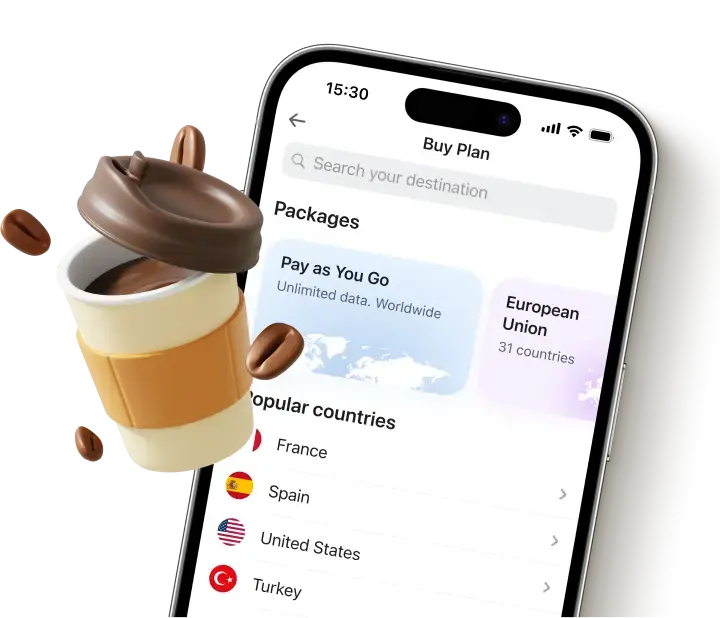
A travel eSIM installs over Wi-Fi before you even leave home, no store visit, no physical card to swap in. Your regular SIM stays active for calls to your own number while a data-only plan on the eSIM handles data. The only real requirement is an unlocked phone that supports eSIM, and once you get an eSIM set up, it stays ready for future trips too.
Japan has more named eSIM providers with real search demand behind them than most destinations in this guide series, so the table below focuses on what matters for each one:
| Provider | Network | Unlimited | Hotspot | Starting price | Best for |
|---|---|---|---|---|---|
| Yesim | Docomo + SoftBank | Yes | No cap | €3.70/day unlimited | Best overall, lowest per-GB rate |
| Ubigi | NTT Docomo | Yes | Yes | ~$4/day | Japan specialist, rural coverage |
| Airalo | SoftBank | No | Yes | $4.50 / 1GB | Budget, short trips |
| Holafly | SoftBank + au | Yes | 500MB/day | $27.30 / 7 days | Unlimited, tourists |
| Saily | NTT Docomo | Yes | Yes | $3.59 / 1GB | Cheapest Docomo access |
| Nomad | SoftBank + KDDI | No | Yes | $6 / 1GB | Digital nomads, Asia trips |
| Sakura Mobile | Docomo + au | Yes | Yes | ¥2,000 / 1GB | Japan-native, no app needed |
| GigSky | Auto-select | Yes (capped) | Yes | $4.99 / 1GB | Free trial, short unlimited windows |
For a full comparison across all eight, the best eSIM for Japan guide breaks down pricing, network, and hotspot terms in more depth. Check current Yesim Japan plans directly, and confirm your device supports eSIM using the compatibility checker before you commit.
Yesim tip: install your eSIM a few days before departure, not the night before. If your specific phone turns out not to support eSIM after all, you’ll still have time to sort out a pocket WiFi or local SIM instead of discovering the problem at the airport.
Roaming vs. pocket WiFi: what different travelers pay
Real numbers make this decision easier than it sounds, whether you’re comparing traditional roaming against a rental or weighing international roaming benefits against a flat fee. These use typical $12/day per-line roaming rates against typical pocket WiFi rental pricing in Japan.
- Solo traveler, 7-day trip, moderate use: Roaming runs about $84 for the week on a single line. A moderate pocket WiFi plan runs roughly $36 to $52 for the same week, depending on the data tier.
- Couple, 14-day trip, light use: Two roaming lines at $12/day each add up to around $336 over two weeks. A lighter pocket WiFi plan for the same period runs closer to $41 to $72 total, shared between both travelers.
- Family of four, 10-day trip, heavy use: Four roaming lines at $12/day each reach roughly $480 for the trip. A single higher-tier unlimited pocket WiFi router for the same 10 days runs closer to $130 to $150 total, covering every device in the group.
Yesim tip: run this same math for your own trip before you decide. Multiply your carrier’s daily roaming rate by your number of travel days and lines, then compare it against a pocket WiFi rental or an eSIM plan sized to your actual data needs, the gap is usually bigger than people expect once it’s written out.
The pattern holds across all three: the more travelers or lines involved, the more roaming costs scale up while a shared device or individual eSIM plans stay flat or scale more gently.
Read also: Best Places to Visit in Japan
Conclusion
For a short solo trip with light data needs, turning off roaming and leaning on Wi-Fi, or picking up an inexpensive eSIM, covers most situations without much thought. For a couple or family who need to stay connected across multiple devices, pocket WiFi or individual eSIM plans for each traveler almost always beat carrier roaming by a wide margin once you add up the days and the lines.










 Max Pankratov