
 Yesim Team
Your phone shows “Activating.” The minutes stack up. Right before a flight, or right after landing in a new country, that screen gets stressful fast. Without a clear sense of what’s normal, you can’t tell if you should wait or start fixing something.
This guide gives a direct answer: real activation timelines, from seconds up to 24 hours. It covers the difference between iPhone and Android, the common reasons activation stalls, and a step-by-step plan if yours has taken too long.
What happens during eSIM activation?
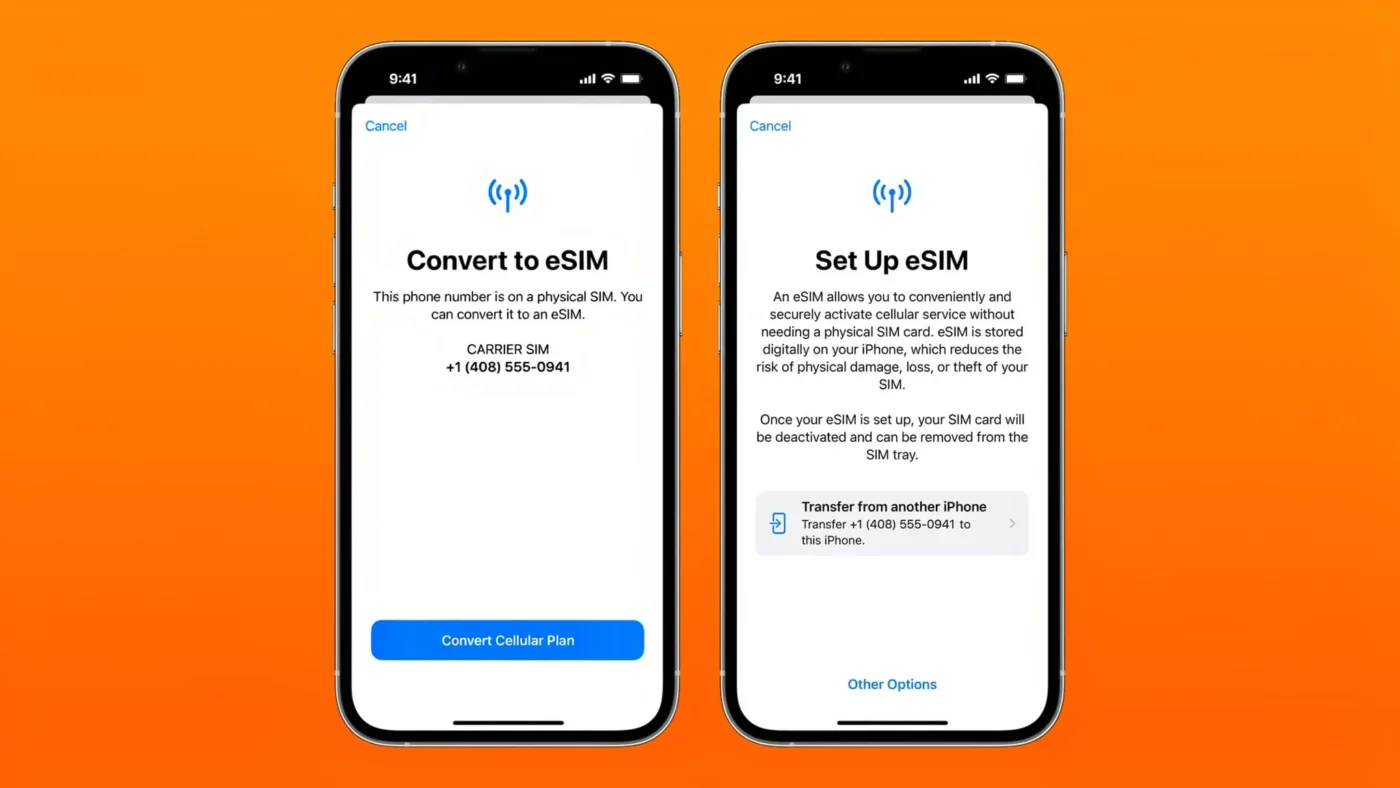
Installing an eSIM and activating it are two different steps. Installation puts the profile on your phone. Activation turns that profile into a working connection, and that’s the part that takes time.
Three things happen during activation:
- Your phone downloads the eSIM profile itself, the digital file that contains your plan’s details.
- The carrier checks and provisions that profile on their end, confirming it’s valid and ready to use.
- Your phone registers with the local network, which is the moment you actually get signal.
Most delays happen at the second or third step, carrier provisioning or network registration, not because your phone is broken.
Quick answer: how long does it take to activate an eSIM?
In most cases, a few seconds to 15 minutes. Some activations take longer, up to 24 hours in specific situations. Anything past 24 hours is a sign something needs fixing, not normal waiting.
- Instant to 15 minutes: the typical range for most travel and personal eSIMs.
- Up to 24 hours: possible for business plans, number transfers, or carriers with extra verification steps.
- Past 24 hours: treat this as a problem to troubleshoot, covered further down.
eSIM activation time: comparison table
Here’s how typical activation times break down by scenario:
| Scenario | Typical time range | Key factors affecting speed | What to do to keep it fast |
|---|---|---|---|
| Standard domestic eSIM | 1 to 10 minutes | Carrier network load, device compatibility | Install on stable Wi-Fi, keep the phone connected |
| Travel or international eSIM | 1 to 15 minutes | Local network registration, roaming agreements | Activate once you land, not mid-flight |
| Business or corporate eSIM | Up to 24 hours | Extra identity or account verification steps | Submit any required verification early |
| Multiple eSIM setup | 5 to 30 minutes per profile | System load from managing several profiles at once | Activate one eSIM at a time, not all together |
How long does it take to activate an eSIM on iPhone?
Scanning a QR code to activate an eSIM on iPhone usually takes 1 to 5 minutes. A carrier-assigned eSIM, or one set up through eSIM Quick Transfer during a number move, can take 10 to 15 minutes while the carrier confirms the transfer on their end.
Seeing “Activating” or “Waiting for Activation” in the first few minutes is completely normal. Give it that window before assuming something’s wrong.
Read also: How to Set Up and Activate an eSIM on iPhone, for the full step-by-step install walkthrough.
How long does it take to activate an eSIM on Android?
Android activation times vary more than iPhone, since behavior differs between Samsung, Google Pixel, Xiaomi, and other brands, and even between Android versions on the same brand. Most activations still land in the same 1 to 15 minute range.
When Android activation runs long, the carrier’s own provisioning process is almost always the reason, not the Android operating system itself.

Why is your eSIM stuck on “Activating”?
A handful of specific issues account for most stuck activations. Here’s what to check.
Carrier provisioning delay
The carrier’s system sometimes takes longer than expected to confirm and activate your specific profile. This is the single most common cause of a stuck status, and it usually resolves within the hour on its own.
Unstable internet during setup
A weak or dropping Wi-Fi connection during installation can interrupt the profile download partway through. Switch to a stronger connection and try again if activation stalls right after installation.
Expired or reused QR code
Most eSIM QR codes work exactly once. Scanning an already-used code, or one that’s expired, stops activation before it can even start. Request a fresh code from your provider if you suspect this.
Carrier-locked or region-restricted device
A carrier-locked phone can block a new eSIM from activating properly, even if installation appeared to succeed. Check if your phone is carrier-locked if nothing else on this list explains the delay.
Multiple eSIM profiles causing a system delay
Installing or activating several eSIM profiles back to back can overload your phone’s system momentarily. Space out activations by a few minutes each if you’re setting up more than one.
How do I know if my eSIM is activated?
Check for all of these signs:
- Signal bars and a carrier name appear where they didn’t before.
- Mobile data works with Wi-Fi turned off.
- Your settings show the eSIM status as “On” or “Active.”
- Calls and SMS work, if your specific plan includes them.
If even one of these isn’t true yet, activation hasn’t finished.
Read also: How to Unlock Your Phone to Use an eSIM, if a carrier lock is blocking activation.
What to do if eSIM activation takes too long
Work through these steps in order:
- Wait, if less than 15 minutes have passed. Most activations finish in this window.
- Turn Airplane Mode on, then off again, to force your phone to re-register with the network.
- Restart your phone completely.
- Confirm the new eSIM is actually selected as your active data line, not just installed.
- Make sure your device isn’t carrier-locked.
- Don’t delete and reinstall the profile too quickly, especially if the QR code is single-use. A second scan might not work at all.
- Contact your provider’s support team if the problem hasn’t resolved after 24 hours.
When should you activate an eSIM for travel?
Install the eSIM profile days before you fly, while you still have stable home Wi-Fi. Save activation itself for after you land and connect to a supported local network. Installing early and activating late is the combination that avoids both a wasted data day and a dead connection at the airport.
A short pre-travel checklist:
- Check your device compatibility before buying a plan.
- Confirm your phone is unlocked.
- Install the profile 24 to 48 hours before departure.
- Select the eSIM as your data line ahead of time, so it’s ready the moment you land.
For the full step-by-step install process, download the Yesim app and follow the guided setup, or see the complete guide to setting up and activating an eSIM on iPhone. Readers curious about the technical side, including the SM-DP+ address your phone contacts during profile download, can find the full explanation there.
Yesim tip: install your Yesim eSIM the moment you book a trip, not the morning you fly. That gives you days of buffer instead of minutes if anything needs troubleshooting.
Conclusion: what’s a normal eSIM activation time?
Minutes, not hours. That’s the normal case for almost every eSIM activation, personal or travel. Longer waits, business verification, number transfers, busy roaming networks, are the exception, and each one has a clear fix above.
Install your Yesim eSIM before your trip and activate it once you land, so you’re never standing at an airport watching an “Activating” screen. Explore Yesim’s eSIM plans and get set up before your next flight.









 Vika Laki