

 Vika Laki
Most articles about staying connected on an Alaska cruise repeat the same two claims: ship WiFi is unusably slow, and an eSIM fixes the problem everywhere you go. Neither is fully true anymore, and getting this wrong matters, because the honest answer changes what you should buy before you sail. Internet on Alaska cruise ships got a real upgrade in the last two years.
An eSIM, on the other hand, stops working the moment your ship leaves cellular range, with one narrow exception. This guide covers both corrections in detail, plus the providers, port coverage, and setup steps that apply to an Alaska itinerary.
Do you get internet on an Alaska cruise?

Yes, but not the way most guides describe it. Most major lines, Royal Caribbean, Norwegian, Celebrity, Carnival, MSC, Princess, Disney, and Virgin Voyages, now run Starlink Maritime as their WiFi backbone. Typical speeds run 20 to 50 Mbps with latency around 40 to 60 milliseconds, fast enough for video calls, which simply wasn’t true of ship WiFi a few years ago.
The catch is price. Disney raised its standard package from $26 to $30 per device per day in early 2026, with its streaming tier now $49. Across the industry, ship WiFi runs roughly $140 to $500 for a full week, and pre-purchase discounts of 20 to 30% off the onboard rate are standard, not a special deal. This is where an eSIM genuinely helps: not as a replacement for ship WiFi at sea, but as a cheaper way to get online during port days, when your phone can reach a real cellular tower on land.
Traveler experience: we tested it, and our Alaska cruise account racked up over $100 in data charges in a single day. Background processes, app updates, email sync, and notifications, are enough to trigger international maritime roaming charges even when you think you’ve switched everything off.
How eSIM works during an Alaska cruise
A normal travel eSIM for Alaska does not work at sea, at all. Once a ship gets roughly 12 nautical miles offshore, the only signal available is the ship’s own maritime network, and terrestrial eSIMs from providers like Airalo, Holafly, Saily, or Nomad simply cannot connect to it. Any Alaska cruise eSIM works normally the moment the ship docks in a port with cellular coverage, then goes silent again once you’re back out at sea.
There are 2 providers worth knowing: Yesim and GigSky are the only consumer eSIM built to work at sea, because it runs on the same maritime infrastructure, Wireless Maritime Services and Cellular at Sea, that cruise ships themselves install. Coverage extends across more than 280 ships, with handoff to maritime signal happening automatically around an hour after departure. It’s usable for messaging, email, and maps, not for streaming, and pricing has been reported inconsistently across sources, so confirm the current rate in the GigSky app before buying.
Read also: Best eSIM for Europe cruise.
A second detail matters more in Alaska than almost anywhere else in the US: which network your eSIM runs on. T-Mobile has zero native network in Alaska, its coverage there exists entirely through roaming on GCI, the local carrier, and roaming users are commonly deprioritized in busy areas. AT&T is the only national carrier with real 5G in Alaska, covering Anchorage, Fairbanks, Juneau, and Nome. If your eSIM is hosted on T-Mobile, expect a materially worse experience in Alaska than the same plan would give you elsewhere in the US. Some providers also state outright that their US plan excludes Alaska entirely, so check the coverage details before buying, not after.
Read also: Best eSIMs for Cruises.
There’s also a legal reason to want US and Canada coverage together. Under the Passenger Vessel Services Act, a foreign-flagged ship sailing a closed loop from a US port must call at a foreign port, and for most Seattle-based Alaska cruises that means a stop in Vancouver or Victoria. A US-only eSIM leaves you offline on that leg of the trip. A combined US and Canada eSIM plan is the correct choice for the itinerary, not an upsell.

Best eSIM providers for Alaska cruise
Five providers cover the main scenarios for this route:
- Yesim. Yesim’s Global Plus package covers 140+ countries, including a dedicated North America region spanning the US, Canada, and Mexico, which lines up directly with a Seattle-to-Alaska itinerary that stops in Canada. Current pricing runs from $28.80 for 5GB over 30 days up to $130.80 for 40GB over a full year, with the 20GB/180-day tier at $70.80 marked as the most popular option, a 39% discount off the standard rate. The long validity windows suit a cruise booked months in advance, since the plan doesn’t start counting down until you activate it.
- Airalo. Airalo’s regional “Americamex” plan covers the US, Canada, and Mexico in one profile, listed around $39.60 for 10GB over 30 days through resellers, a reasonable fit for the same Seattle-Vancouver-Victoria pattern most Alaska cruises follow. User reviews are mixed on voice-inclusive tariffs in the US specifically, though data-only use is generally reported as reliable, with airport WiFi recommended for activation before departure.
- GigSky. Already covered above as the only eSIM with genuine at-sea coverage. Its land-only US plans run separately from its cruise-specific product, so if at-sea connectivity matters to you, confirm you’re buying the cruise-compatible plan, not the standard terrestrial one.
- Holafly and Saily. Both work well for terrestrial US port days, following the same rule as every other provider here: no at-sea coverage, and worth checking whether their US plan is hosted on AT&T or T-Mobile before buying, since providers don’t always state this clearly upfront.
Whichever provider you choose, the checklist is the same: confirm US and Canada coverage in one plan, confirm the host network isn’t T-Mobile-only if avoidable, and don’t expect any of them, except GigSky, to work between ports.
eSIM for cruise and port destinations in Alaska
Alaska mobile internet coverage follows a consistent pattern reported across years of traveler accounts: solid in town, gone between towns. Ports with reliably reported signal include Anchorage, Juneau, Ketchikan, Skagway, Sitka, and Icy Strait Point, along with inland stops like Fairbanks, Seward, and Talkeetna. One well-worn rule of thumb from cruise forums: if you’re close enough to shore to make out the model of a passing car, you’re close enough for signal. If the shoreline is empty, there’s probably no tower nearby either.
A few port-specific notes worth knowing before you rely on a signal: ships docked at certain piers, Skagway’s outer dock among them, have been reported as needing passengers to walk further into town before getting a usable connection. Coverage maps for Juneau and Ketchikan have shown dead zones right at the waterfront in past years, so treat “the ship is in port” as a starting point to test your connection, not a guarantee it’s already working.
Traveler experience: Sprint user on a Seattle round-trip described workable coverage in Juneau, Skagway, and Ketchikan, though slow, often 3G-era speeds, fine for messaging but frustrating for uploading photos.
Two scenic-cruising days deserve special mention: Glacier Bay and Hubbard Glacier have no dock, no town, and no cellular tower anywhere nearby. Plan on being offline entirely during these days, regardless of which eSIM you’re using, and treat them as a deliberate break from connectivity rather than a coverage failure to troubleshoot.
Local Alaska SIM options don’t help much here either. GCI, the dominant local carrier, is strong in towns but targets residents rather than cruise routes, and national carrier retail stores exist only in Anchorage and Fairbanks, nowhere near a typical port schedule. A US and Canada eSIM purchased before the trip remains the more practical option for a cruise itinerary specifically.
Read also: The dedicated internet on Royal Caribbean cruise guide.
eSIM vs cruise ship WiFi
For anyone comparing WiFi against eSIM for a cruise, and wondering about the cheapest way to get internet on cruise days specifically, here’s the honest comparison, side by side:
| Ship WiFi | eSIM | |
|---|---|---|
| Where it works | Everywhere on board, including at sea | Only in port, with cellular range |
| Typical cost | $140 to $500 for a full week | Roughly $10 to $30 for a similar data allowance |
| Speed | 20 to 50 Mbps via Starlink on most major lines | Depends on local network, generally solid in port towns |
| Best for | Video calls, streaming, staying connected between ports | Cheaper data specifically on port days |
The two aren’t really competitors, they solve different problems. Ship WiFi is what keeps you connected at sea and between ports, where an eSIM can’t reach at all. An eSIM is what saves you money on port days, when your phone can just use a local tower instead of the ship’s satellite connection. Most travelers get the best value combining both: ship WiFi active for the sea days, eSIM data switched on once you’re docked.
See the dedicated internet on Royal Caribbean cruise guide.
How to set up and use eSIM for an Alaska cruise
The process is the same one you’d use for any trip, with a couple of Alaska-specific details worth getting right:
- Buy your prepaid eSIM for the cruise before departure and confirm it covers both the US and Canada if your itinerary includes a Vancouver or Victoria stop.
- Install the eSIM profile via QR code while you still have a stable home WiFi connection, ideally days before you fly out.
- Leave the eSIM inactive until you need it in port, activating data roaming only once the ship has docked.
- Check your phone’s APN settings match your provider’s instructions if data doesn’t connect automatically after activation.
- If signal drops once you’re back at sea, that’s expected for every eSIM except GigSky, switch to airplane mode with ship WiFi on instead of leaving cellular searching for a signal that isn’t there.
- Monitor your remaining data through your provider’s app so you’re not caught short on a later port day.
Yesim tip: test your eSIM at the very first port on the itinerary, even if it’s a short stop, rather than waiting until a later, more important port day to find out whether the connection works. Confirming activation early leaves time to troubleshoot before it matters.
Tips for staying connected during an Alaska cruise
A few small habits make a bigger difference on this route than on a typical trip:
- Download offline maps and key routes before you sail, since signal in Denali, the Dalton Highway, and most stretches between towns simply doesn’t exist.
- Check port-specific coverage reports where available, since dead zones at specific docks have been documented in places like Juneau and Ketchikan.
- Choose a global or regional eSIM plan with a long validity window rather than a short one, since ports are spread days apart and you don’t want data expiring mid-cruise.
- Turn off background app updates and automatic photo backups before departure, since these are exactly the kind of silent data use that has produced genuinely enormous phone bills on past Alaska cruises.
- Switch to airplane mode the moment the ship leaves a port, and only re-enable cellular data once you’re confirmed docked again.
Yesim tip: if your itinerary includes both US and Canadian ports, double-check your plan covers both before you sail rather than assuming a US-only plan will roam onto Canadian networks in Vancouver or Victoria. It usually won’t, and that’s the one port most travelers forget to plan connectivity for.
Who needs an eSIM for Alaskan trip?
If you’re American or Canadian, Alaska is domestic territory, and your existing phone plan almost certainly already covers it at no extra charge. Buying a travel eSIM to visit Alaska mostly doesn’t make sense for this group. The better advice is a carrier cruise pass for sea days, around $20 per day from Verizon or AT&T, plus your regular plan in port.
The eSIM case is genuinely strong for one group specifically: travelers from Europe, Australia, or Asia, for whom Alaska counts as the United States for roaming purposes, and standard international roaming runs $10 to $15 per day through most home carriers. For this group, a US and Canada eSIM bought before the trip is a clear, straightforward win, and a local Alaska SIM won’t help much given how few retail locations exist along a cruise route.
Yesim tip: before assuming you need a new eSIM at all, check whether your existing carrier already includes some form of cruise or international day pass, since several US and Canadian carriers now offer a flat daily rate for exactly this scenario. It’s occasionally simpler than switching to a new eSIM profile for a single trip.
Conclusion
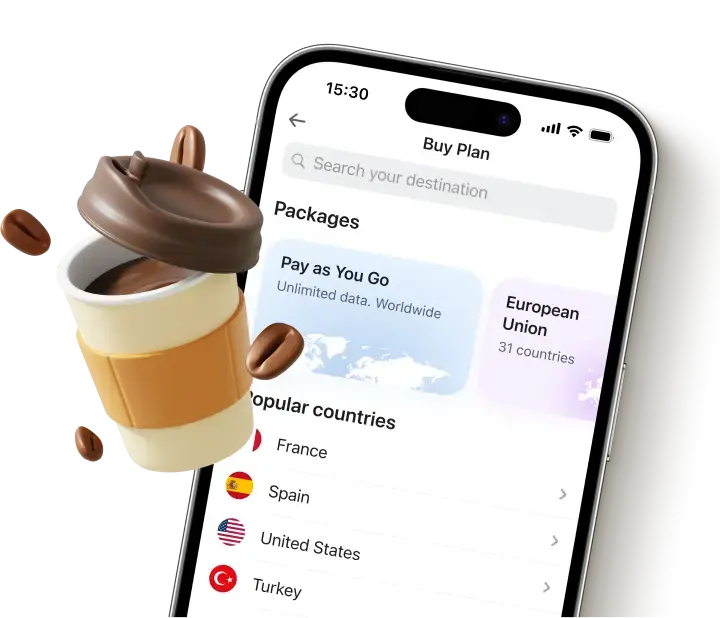
Internet on an Alaska cruise is genuinely workable now, ship WiFi has improved substantially, but an eSIM solves a narrower problem than most guides admit: cheaper data specifically in port, not a replacement for connectivity at sea. Choose a plan that covers both the US and Canada, check which network it’s hosted on, and treat port days and sea days as two separate connectivity problems rather than one. Browse the Global Plus and North America eSIM plans on Yesim before you sail, and activate only once you need the data.











 Yesim Team