

 Yesim Team
The single most important thing to know before buying an eSIM for a Europe cruise: eSIM does not work at sea. No eSIM does, and neither does a physical SIM card. When your ship is sailing between Barcelona and Civitavecchia, you are far from land and out of range of any terrestrial cellular network. The only connectivity option at sea is the ship’s WiFi, which runs on satellite-based infrastructure and is sold separately by cruise lines at rates that make roaming fees look reasonable. Roaming fees from cruise ship use of home carrier plans are equally high. The term roaming fees cruise ship travellers encounter refers to maritime network charges.
What an eSIM does brilliantly is handle the other half of a cruise itinerary: the port days. When you arrive somewhere new, whether going to Spain, docking in Athens, or stopping in Dubrovnik, your eSIM activates automatically on the local network and a plan that works across multiple countries keeps you connected with fast mobile data for the hours you are ashore. That is exactly when you need it: navigating unfamiliar streets, booking last-minute tours, uploading photos, and staying in touch via WhatsApp without paying the ship WiFi rate.
This guide covers the best eSIMs for a European cruise, how to set them up correctly, and how to manage connectivity across both sea days and port stops.
How eSIM works on a cruise: the honest picture
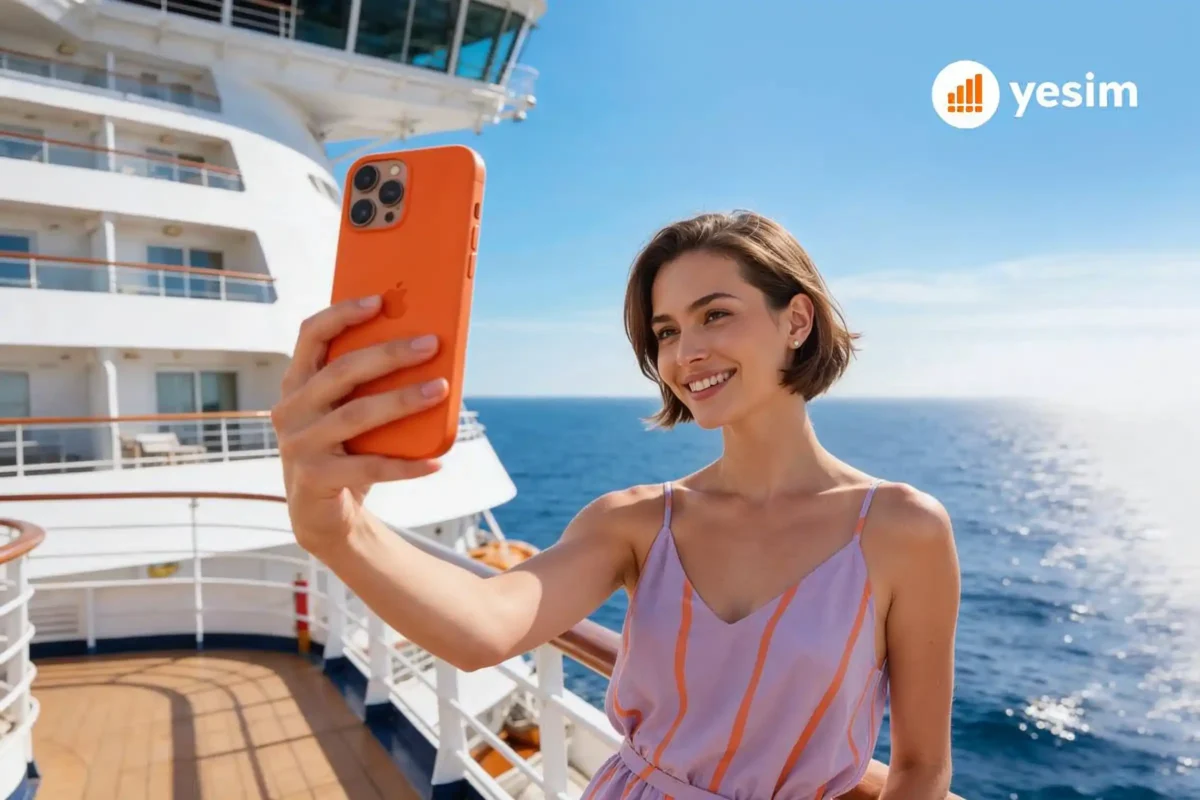
Understanding what eSIM technology does and what eSIM plans can and cannot do on a cruise ship prevents expensive surprises.
- At sea: No cellular signal. Cellular at sea is unavailable on terrestrial networks. When far from land, the ship is beyond the range of any mobile network including 5G. Coverage at sea simply does not exist for terrestrial networks. The ship’s WiFi is your only data service option at sea. Most cruise lines including Carnival Cruise, Royal Caribbean, and Norwegian charge $15 to $30 per day for their internet package. This is satellite-based internet and speed is variable. Cruise Critic forums frequently flag this as the main connectivity complaint on European cruises. An eSIM cannot replace ship WiFi at sea.
- In port: Full cellular signal. The moment you arrive at your destination and step ashore, your eSIM connects to the local network automatically. Turn on your eSIM as your data line when you are in port and you have the same mobile data quality as a local user, typically 4G LTE or 5G depending on the country. When the ship sails, the cellular signal fades and ship WiFi takes over again.
The practical strategy for cruise connectivity: Buy a regional Europe eSIM for port days. Use the eSIM on shore, switch to ship WiFi at sea. This is how cruise travellers get the best of both without overpaying for either.
Best eSIMs for a Europe cruise
Every provider in this list works for a European cruise itinerary, but they are not interchangeable. The differences that matter most for cruise travel are whether hotspot is included without a cap (important when you want to share your connection on a port day), whether the plan covers every country on your itinerary under a single purchase, and whether there is a purpose-built cruise product or a standard travel eSIM being adapted to cruise use.
Yesim

Yesim covers 30+ European countries under a single regional plan, including every major Mediterranean cruise destination: Spain, France, Italy, Greece, Croatia, Montenegro, Malta, Turkey, and Portugal. Hotspot is included on every plan with no daily cap, which is useful when you want to share your connection with a travel companion during port stops, or if you want to be able to stream video briefly while docked.
The unlimited data plans are the cleanest option for cruise travellers who do not want to track data. You turn on your eSIM when you are in port, use it freely, and let it idle at sea. The 30-day unlimited plan at $67.20 covers a full cruise itinerary across multiple ports.
| Plan type | Data | Duration | Price | Per unit |
|---|---|---|---|---|
| Unlimited | Unlimited | 1 day | $3.60 | $3.60/day |
| Unlimited | Unlimited | 7 days | $25.20 | $3.60/day |
| Unlimited | Unlimited | 30 days | $67.20 | $2.24/day |
| Prepaid | 5 GB | 30 days | $12.00 | $2.40/GB |
| Prepaid | 10 GB | 30 days | $19.20 | $1.92/GB |
| Prepaid | 20 GB | 30 days | $24.00 | $1.20/GB |
Choosing the right plan: for a standard 7 to 14 day Mediterranean cruise, the 10 GB prepaid at $19.20 covers port day usage comfortably. Most port stops are 6 to 10 hours ashore, and typical tourist data usage in that window runs 300 MB to 1 GB per stop.
Best for: Mediterranean and European cruise itineraries, anyone who needs hotspot without a cap.
GigSky

GigSky is the most searched eSIM brand in the cruise space. It markets a dedicated cruise and land eSIM product, and the GigSky app is available on iOS and Android. GigSky offers global coverage that works wherever your ship ports, and its cruise + land eSIM is designed specifically for the pattern of cruise travel: active in port, dormant at sea, active again at the next port.
GigSky offers coverage across Europe, the Caribbean, and other popular cruise regions. Plans run higher per GB than regional alternatives, but the convenience of a single global plan spanning different cruise itineraries has genuine value for frequent cruisers. The GigSky app manages plan purchases and eSIM installation in one place.
For cruisers who want a cruise-specific eSIM product rather than adapting a travel eSIM, GigSky is the go-to option. Browse plans at gigsky.com and download the GigSky app before the cruise begins.
Best for: Frequent cruisers, multi-region itineraries, anyone who wants a purpose-built cruise eSIM.
Airalo

Airalo’s Europe regional plan covers 36 European countries. No unlimited option, but smaller data packages at lower prices suit cruise travellers who only need data for short port stops. The 1 GB plan over 7 days at $5 is enough for a single port day of maps and WhatsApp. The 1GB plan suits light users; for a full cruise itinerary, the 10 GB plan makes more sense.
| Data | Duration | Price |
|---|---|---|
| 1 GB | 7 days | $5.00 |
| 3 GB | 30 days | $13.00 |
| 5 GB | 30 days | $20.00 |
| 10 GB | 30 days | $37.00 |
Best for: Light data users, shorter cruises, travellers who want the cheapest eSIM for European port stops.
Holafly

Holafly covers 40+ European countries with unlimited data plans only. Every plan is unlimited, so there is no data tracking needed during port stops. The limitation is hotspot: tethering is capped at 500 MB per day. This restricts laptop use but works fine for phone-based navigation and communication in port.
| Data | Duration | Price |
|---|---|---|
| Unlimited | 7 days | $29.90 |
| Unlimited | 14 days | $47.90 |
| Unlimited | 30 days | $74.90 |
Best for: Cruise travellers who want unlimited data for port days, light hotspot needs only.
Quick comparison: best eSIMs for a Europe cruise
| Provider | Unlimited data | Hotspot | Countries | Starting price | Best for |
|---|---|---|---|---|---|
| Yesim | Yes | Yes, no cap | 30+ Europe | $3.60/day | Best overall |
| GigSky | Yes | Yes | Global | Varies | Dedicated cruise eSIM |
| Airalo | No | Yes | 36 Europe | $5 / 1 GB | Budget, light users |
| Holafly | Yes | 500 MB/day cap | 40+ Europe | $29.90 / 7 days | Unlimited, no hotspot |
eSIM vs ship WiFi vs roaming: what to use when
Cruise connectivity involves three separate systems that serve different situations, and mixing them up is what generates unexpected bills. Ship WiFi is satellite-based, runs at variable speeds, and is priced by the cruise line as a standalone product. Your home carrier’s roaming charges per day regardless of how much data you actually use, which makes it expensive on sea days when you barely need it. An eSIM costs nothing when the ship is at sea because it has no signal to connect to, and it activates automatically the moment you step ashore.
| Situation | Best option | Why |
|---|---|---|
| At sea, between ports | Ship’s WiFi internet package | Only option, no cellular signal |
| In port, short stop (2 to 4 hours) | eSIM | Fast, cheap, activates automatically |
| In port, full day ashore | eSIM | Better value than ship WiFi for data |
| WhatsApp calls in port | eSIM | WiFi calling works over eSIM mobile data |
| Uploading photos at sea | Ship WiFi | Only option available |
| Navigation ashore | eSIM + offline maps | Live data plus offline backup |
| Home carrier roaming | Avoid | $10 to $15/day, poor value for cruise use |
The key principle: a cruise eSIM provides seamless connectivity the moment you step ashore. Ship WiFi handles connectivity at sea. These two tools complement each other rather than competing.

How to set up your eSIM before the cruise begins
Getting this right before the cruise begins saves confusion at port. You download a SIM instead of buying a physical card: scan the QR code and the eSIM profile installs in under two minutes. Do everything at home on a WiFi network, not on the ship.
Before you board:
- Confirm your phone supports eSIM. The iPhone supports eSIM from XS (2018) onward. Samsung Galaxy S20 and later, Google Pixel 3 and later also support eSIM. If unsure whether your device supports eSIM, check the full compatible devices list.
- Buy your Europe cruise eSIM and receive the QR code by email or in the app.
- Install the eSIM: scan the QR code in your phone settings. iPhone: Settings → Cellular → Add eSIM. Android: Settings → Network & Internet → SIMs → Add eSIM.
- Set the eSIM as a secondary line (not your primary data line yet).
- Download offline maps for every port city before you board. Google Maps offline areas work without any data connection.
During the cruise:
- At sea: keep your home SIM as the data line or disable mobile data entirely. Use ship WiFi for connectivity at sea.
- When the ship docks and you are in port: switch your data line to the eSIM and turn on your eSIM.
- The eSIM connects to a local network automatically. Sea and in port transitions happen cleanly if you manage the data line switch manually.
- Re-boarding: switch back to ship WiFi or home SIM.
One common mistake: Leaving the eSIM as the active data line while at sea. If your phone searches for a cellular signal it cannot find, it may attempt to roam on maritime networks at high per-MB rates. Switch data lines when moving between sea and port.
Coverage across European cruise ports
A Mediterranean cruise typically stops across several countries, all with strong 4G LTE coverage.
| Port | Country | Coverage quality | Networks |
|---|---|---|---|
| Barcelona | Spain | Excellent 4G/5G | Vodafone, Movistar, Orange |
| Marseille | France | Excellent 4G/5G | Orange, SFR, Bouygues |
| Rome (Civitavecchia) | Italy | Strong 4G | TIM, Vodafone, WindTre |
| Naples | Italy | Strong 4G | TIM, Vodafone |
| Athens (Piraeus) | Greece | Strong 4G | Cosmote, Vodafone, WIND |
| Santorini | Greece | Good 4G | Cosmote covers main areas |
| Split / Dubrovnik | Croatia | Strong 4G | HT, A1, Tele2 |
| Kotor | Montenegro | Adequate 3G/4G | Coverage in town |
| Istanbul | Turkey | Excellent 4G/5G | Turkcell, Vodafone TR |
| Lisbon | Portugal | Excellent 4G/5G | MEO, NOS, Vodafone |
Coverage in port towns is consistently strong for the major Mediterranean destinations. A regional Europe eSIM from Yesim or Airalo connects to the strongest available network in each country automatically, depending on the country you are visiting.
Practical tips for cruise eSIM users
Port days on a European cruise are short. A typical stop gives you 6 to 10 hours ashore before the ship sails, which means any connectivity problem, whether running out of data, a failed eSIM connection, or a drained battery from constant searching for signal, eats directly into time you should be spending in Santorini or Dubrovnik. The tips below are the ones that prevent those problems rather than fix them after they happen.
- Download offline maps before you board. This eliminates the biggest single data drain at each port. Your eSIM data then covers WhatsApp, real-time navigation updates, and photo uploads rather than continuous map rendering.
- Budget the amount of data you use by port stop. For a 7 GB plan across a 10-stop cruise, that is roughly 700 MB per stop. Navigation, messaging, and photo uploads in a 6-hour port stop typically use 300 to 600 MB. Most cruisers finish with data remaining.
- Check your data usage after each port. Settings → Cellular (iPhone) or Settings → Network (Android) shows how much data each port stop consumed. This helps you pace usage across the entire cruise.
- Turn off data roaming on your home SIM. Even with a cruise eSIM active, a home SIM left with data roaming enabled can connect to maritime networks at high per-MB rates. Disable data roaming on your home SIM line before the cruise begins.
- Use WiFi calling for long calls. WhatsApp voice and video calls work well over eSIM data in port. For longer calls at sea, ship WiFi is more stable than eSIM at the edge of cellular range.
- Scan the QR code before you board. An eSIM card installs digitally, with no physical card to track. The eSIM installation requires a WiFi connection. Do not leave it until you are on the ship, where WiFi is a paid service.
For a broader comparison of eSIM providers across Europe beyond cruise-specific use, see the best eSIM for Europe guide.
The bottom line
A cruise eSIM does one job well: keeping you connected during port stops around Europe. A cruise without an eSIM means paying roaming rates ashore. It does not replace ship WiFi at sea and is not designed to. What it replaces is expensive roaming charges during the hours you are actually ashore.
For most cruise travellers, an international eSIM from Yesim or a Yesim regional Europe eSIM or a GigSky cruise and land eSIM covers every port stop under a single purchase. Install the eSIM before the cruise begins, switch to it each time you arrive somewhere new, and switch back to ship WiFi when you sail. Fast data and internet access at every port stop, across the entire cruise, without managing multiple local SIM cards, and to avoid roaming fees, or paying daily roaming rates.




 Vika Laki

 Max Pankratov