

 Max Pankratov
Most travelers assume an eSIM works exactly like a physical SIM card: pop it in, and you get data, calls, and texts on a new number. That assumption causes a specific kind of trouble at the worst possible moment. Someone buys an eSIM for a trip, connects to the internet without issue, then hits a login screen that needs an SMS verification code. Nothing arrives, because the plan was data-only, and data-only eSIMs don’t carry a phone number at all.
This guide explains which eSIMs come with a phone number, which don’t, how to check which one you bought, and what to do if yours doesn’t include one, whether you’re traveling anywhere in the world or setting up a local eSIM for a single trip.
What is an eSIM with a phone number?
An eSIM with a phone number is a digital SIM profile that includes voice calls and SMS alongside mobile data, the same way a traditional physical SIM card does. You get a real number, one that can send and receive text messages and phone calls.
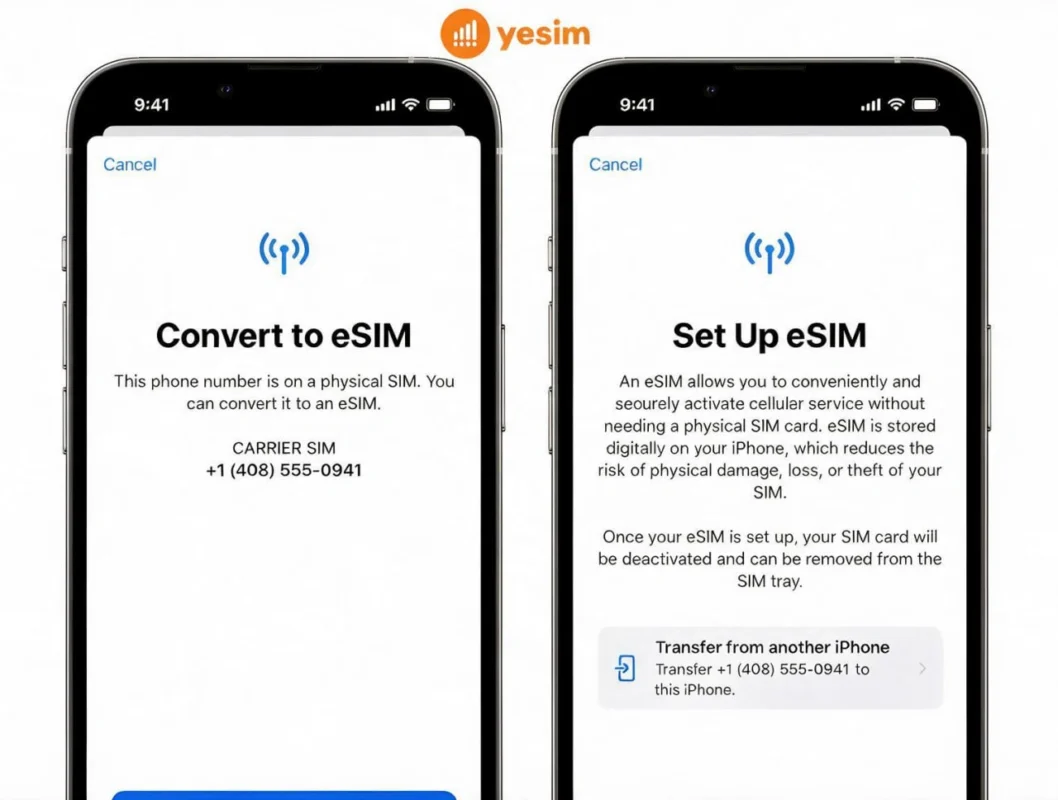
A data-only eSIM strips that down to internet access only. No number, no calls, no SMS. Just esim data, delivered the same way, through an eSIM profile installed via QR code or a mobile app, without a physical SIM card ever entering the phone. An eSIM is a digital, embedded SIM, built directly into the phone’s hardware rather than a removable plastic card, which is why the whole activation process happens on-screen instead of at a store counter. For the full mechanics of how that installation works, see what is an eSIM.
Picture three columns side by side: a traditional physical SIM card supports calls, SMS, and data by default. A data-only eSIM supports data alone. An eSIM with a phone number supports all three, matching what a physical SIM card does, just without the plastic.
Read also: eSIM vs. SIM: What’s the Difference?
Does every eSIM come with a phone number?
No. Most travel eSIMs, including offerings from large travel eSIM providers like Airalo, are data-only by design. Not every provider that sells an Airalo eSIM or similar plan will offer eSIMs with a phone number as an option at all, and the ones that do often list it as a separate, pricier tier. These plans are built for travelers who need mobile data abroad without expensive roaming fees or roaming charges, not for anyone trying to run a local phone number. See how Yesim’s own approach compares in Yesim vs. Airalo.
A few signals give away a data-only plan before you even buy it:
- The listing describes esim data in GB with no mention of voice minutes.
- There’s no line item for SMS or calls anywhere in the plan details.
- Support pages for that provider explain how to use the esim for internet only, with no setup steps for calling.
- The provider’s app store listing markets it purely as a global eSIM for mobile internet, not as a replacement for a traditional phone number.
Traveler experience: a pattern that comes up often in eSIM community forums and reviews: someone lands, has working data within minutes, then only realizes the plan is data-only when a delivery app or bank app demands an SMS code. It’s rarely a dealbreaker, but it catches people off guard because the eSIM itself worked perfectly, the number just was never part of the plan.
How to check if your eSIM has a phone number
If you already installed the eSIM, checking while using the eSIM day to day takes under a minute.
- On iPhone, open Settings, tap Cellular (or Mobile Data), and look at your list of installed lines. A line with a number attached will display it directly.
- On Android, open Settings, then Network & Internet, then SIMs, and check each installed profile for an assigned number.
- If no number appears under either line, the eSIM is data-only.
- Cross-check this against the plan description on the provider’s site or mobile app. Voice and SMS plans almost always advertise “calls,” “texts,” or “minutes” somewhere in the listing.
- If you haven’t installed anything yet, download the app from the App Store or Play Store first, since most providers show whether a plan includes a phone number before you buy. The esim app itself usually states clearly whether that specific esim offers voice and SMS or is data-only.
- If you’re still unsure, contact the provider’s customer support directly and ask whether the specific plan you bought is data-only or includes a phone number.
If your phone supports it, checking whether your device even has room for another line first can save a step. See which iPhones support eSIM for the current compatible list.
Yesim tip: check this before you land, not after. If the plan turns out to be data-only and you need SMS verification right away, you’ll want time to set up a backup option like Wi-Fi calling or a messaging app instead of scrambling for signal at the airport.
Data-only eSIM vs eSIM with phone number: comparison table
eSIM phone number plans are sold prepay, similar to pay as you go, rather than as a recurring monthly contract, which keeps the commitment short and matched to your actual trip length.
| Criteria | Data-Only eSIM | eSIM With Phone Number |
|---|---|---|
| Voice calls | Not supported | Supported, like a traditional phone number |
| SMS / 2FA verification | Not supported directly | Supported, can receive verification codes |
| Mobile data | Full data plan | Full data plan included |
| Typical price | Lower, priced per GB | Higher, priced for the added voice/SMS capability |
| Best for | Travelers who mainly need internet connection abroad | Travelers who need a local number for calls or SMS verification |
Not sure how much data you’ll actually use? Yesim’s Data Calculator estimates a reasonable data usage plan based on your trip length and habits, whether you end up on a data-only plan or one with a number attached.
Do you keep your own phone number with an eSIM?
Yes. Installing a new eSIM doesn’t delete or replace your primary phone number. It adds a separate profile alongside it, which is exactly how dual SIM functionality works: your primary line, whether it’s a physical SIM or your main eSIM, stays active while the new eSIM runs as a second line, either for data only or for a new local number. For a device-specific walkthrough, see dual SIM on iPhone.
That means switching to a travel eSIM instead of a traditional SIM card doesn’t require giving up your existing number. You keep your phone number while using a data-only eSIM for the trip, and you can switch from a physical SIM to an eSIM for a single trip fully reversibly. Both can sit on the phone at once, as long as your phone is esim-compatible, with the eSIM capability needed to run two lines through dual SIM functionality.
Read also: eSIM vs. Hotel Wi-Fi: Pros and Cons.
Can you still use your home number with a data-only plan?
Yes, in a couple of ways. Wi-Fi calling through your home carrier can let you send and receive calls and texts on your primary number over an internet connection, letting you make traditional phone calls without a local SIM, though this can incur charges depending on your carrier’s international policy. International roaming through your own provider is another option, usually the most expensive one, and one of the main reasons travelers look for ways to avoid roaming charges in the first place.
The free alternative is internet-based calling apps. Apps such as WhatsApp, iMessage, FaceTime, and Telegram all make calls and send messages over any internet connection, including the one your data-only eSIM provides. For most people traveling with friends, family, or colleagues who already use the same apps, this covers nearly everything you’d need to call someone for, without a traditional phone number attached.
Yesim tip: if Wi-Fi calling matters to you, check that it’s actually turned on before you leave, not after. It’s usually buried a menu or two deeper than most people expect, and it’s much easier to enable at home on a stable connection than to troubleshoot from an airport gate.
Do you need a phone number or just data?
Working out which one you actually need saves money and prevents surprises mid-trip.
You probably need a phone number if:
- A local service requires SMS verification tied to a local number, not an international one, for example a US phone number for a US-based delivery app.
- You’re registering for a local app, delivery service, or rideshare that expects you to get a local number for verification.
- You need to receive calls from someone who doesn’t use internet-based calling apps.
Data alone is usually enough if:
- You mainly need navigation, maps, and internet access.
- Your communication happens through messaging apps like WhatsApp or Telegram.
- You’re booking hotels, restaurants, or transport through apps rather than phone calls.
- Your two-factor authentication for accounts back home goes through an authenticator app instead of SMS.
Yesim tip: if you’re not sure yet, a data-only plan is the safer default for most short trips. It’s cheaper, and you can always add a local number through a separate service later if a specific situation actually requires one.
Alternative ways to stay connected without a phone number
For travelers who don’t need a local number, a data-only travel eSIM paired with a few apps covers almost every situation, whether you’re buying a global eSIM for a multi-country trip or a local eSIM for one destination. If you’re weighing this decision against your carrier’s own options, how to turn data roaming on or off covers that side of the comparison directly.
Internet-based calling apps handle both voice and text: WhatsApp, Telegram, and FaceTime all work over mobile internet with no separate calling plan required. Wi-Fi calling through your home carrier keeps your primary number reachable when you’re connected to Wi-Fi. Virtual number services from third parties, including options like a Google Voice number, can provide a number for verification purposes without tying it to a physical SIM at all.
For most travel scenarios, this combination costs less and sets up faster than hunting for an eSIM plan that includes a phone number, and it’s usually the simplest way to avoid roaming fees altogether. If you want to get unlimited data without tracking a GB limit, that’s a separate decision from whether you need a number at all.
Traveler experience: a common setup reported by frequent travelers on dual-SIM phones: home number stays on the physical SIM purely for banking and account verification texts, while the eSIM handles 100% of the actual day-to-day data. Calls and messaging to everyone else go through WhatsApp or iMessage over that same connection. No number ever gets requested from the eSIM side of the phone.

Where to get an eSIM with a phone number
Not every travel eSIM provider offers eSIMs with a phone number alongside data, and far fewer offer esims with a phone number as clearly as they offer esims for data only. Yesim’s virtual number option covers this specific case, for travelers who want a working number for calls or verification without switching to a physical SIM card or a full local contract. For broader trip planning beyond just the number question, best eSIM for international travel rounds up plan options by destination.
Conclusion: do you really need an eSIM with a phone number?
If you need SMS verification for a local service, or incoming calls actually matter for your trip, look specifically for a plan that includes a phone number, not just data. If you mainly need internet connection for maps, messaging, and bookings, a data-only eSIM is cheaper, simpler to set up, and covers what most travelers actually use day to day.
Not all eSIMs come with phone numbers, and that’s fine for most trips. The question is whether the specific plan you’re about to buy an eSIM from includes one. If you’re buying esim for data alone and don’t expect to use a phone number at all during the trip, that’s a perfectly reasonable choice, not a compromise. Checking this before you leave, rather than assuming it works like traditional physical SIM cards always have, is the one step worth never skipping. Ready to buy esim for your next trip? Compare data-only and voice-enabled plans before you decide.








 Vika Laki


 Yesim Team